Dyslexia

Homeschool Curriculum for a Child with Dyslexia

Your kid is bright, curious, and exhausted by the page. Reading is slow, letters swap, and every subject turns into a reading test. A homeschool curriculum for a dyslexic student has to take the reading load off the learning, not pile it on.

Read-aloud on every lesson Dyslexia-friendly type Phonics in sequence Not a diagnosis, a setup
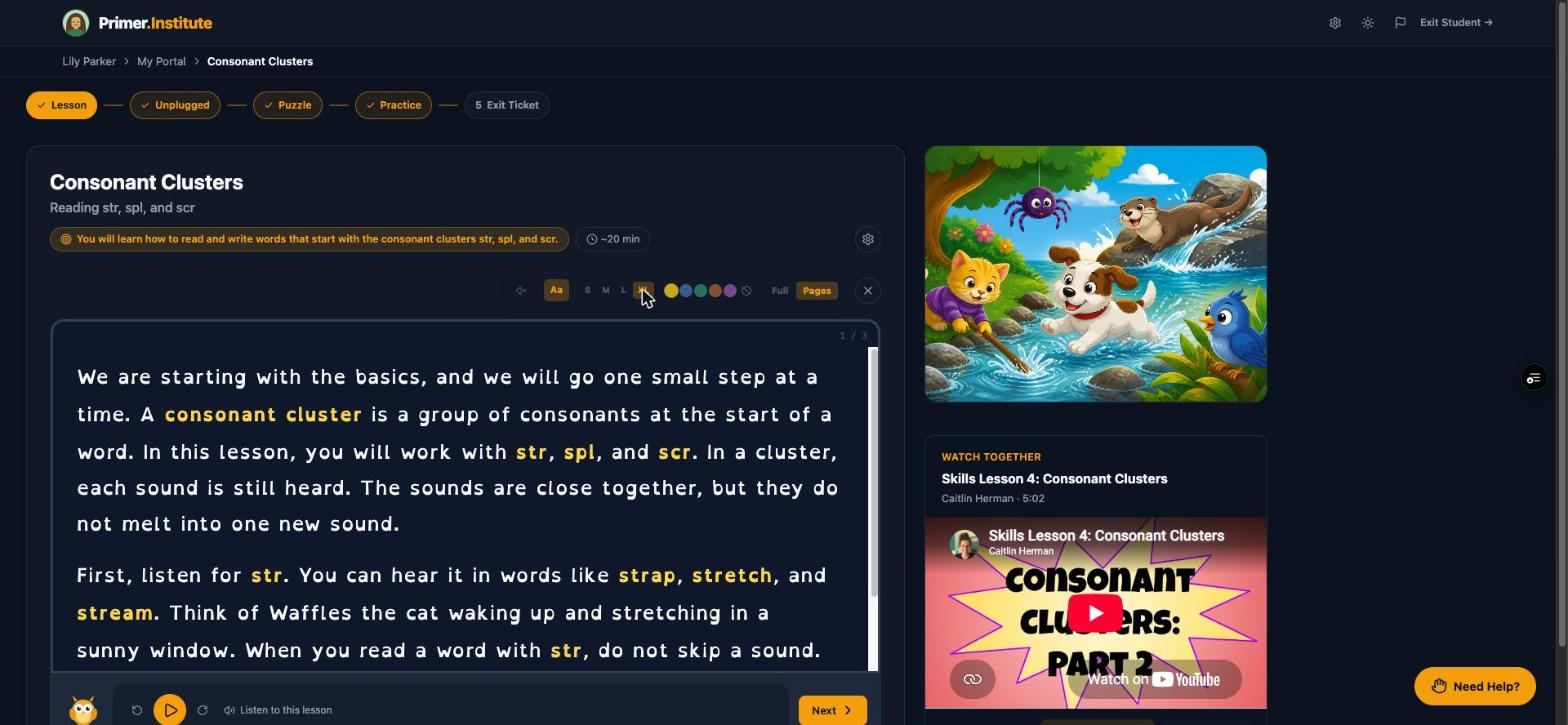
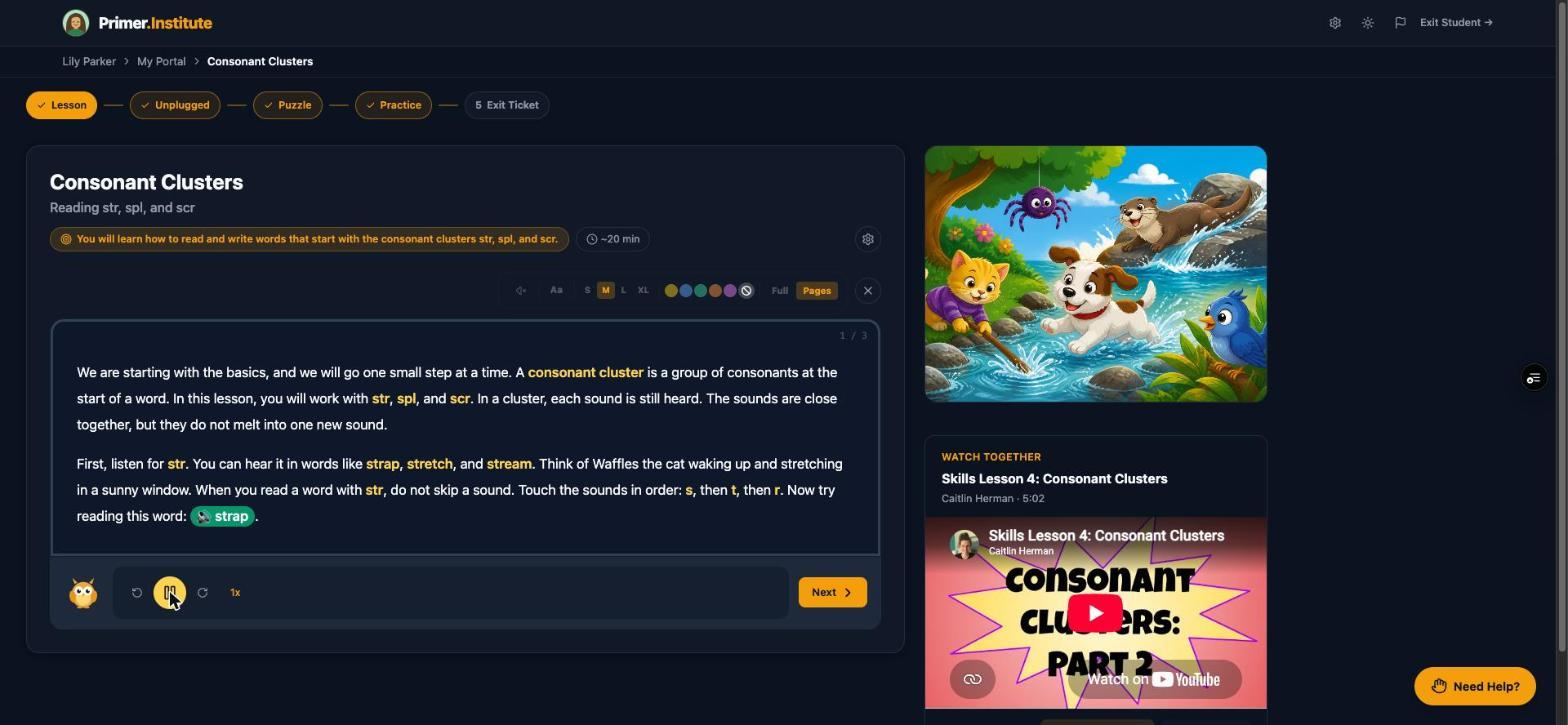
A Primer lesson with the dyslexia-friendly font and a larger text size switched on
What actually helps

Three things make the biggest difference for a student with dyslexia, and none of them is "try harder."

Each of these rests on learning science that has been replicated for decades. The studies, in plain language, are on the research page.

1

Take the decoding out of the way of the idea

A science lesson should test whether they understood the science. Read-aloud support gives a real boost to reading comprehension, and the benefit is largest for the students who struggle most. When the text is spoken, a dyslexic student learns history and math at the pace they think, not the pace they decode.

2

Teach reading itself explicitly, one pattern at a time

Closed syllables, consonant clusters, vowel teams: a dyslexic reader needs each pattern taught directly, practiced, and brought back later, not absorbed from exposure. Spaced practice and recall beat rereading in hundreds of experiments.

3

Make the page itself easier to look at

Letter confusion (b and d, p and q), line tracking, and visual glare are physical problems with physical fixes: a typeface designed to reduce confusion, bigger text, a tinted background. Small changes, often the whole difference between fighting the page and reading it.

How Primer handles it

None of this is an add-on. Every support below is part of every lesson, built to feel native rather than like a tool for kids who "need help."

The Listen to this lesson control playing a passage aloud

Every lesson reads itself aloud

A Listen to this lesson button sits under every passage, and a Read Lessons Aloud toggle on the Accommodations tab turns it on for every lesson by default. Practice questions, puzzle clues, and the placement check are read aloud too.

Personalizing the lesson player →
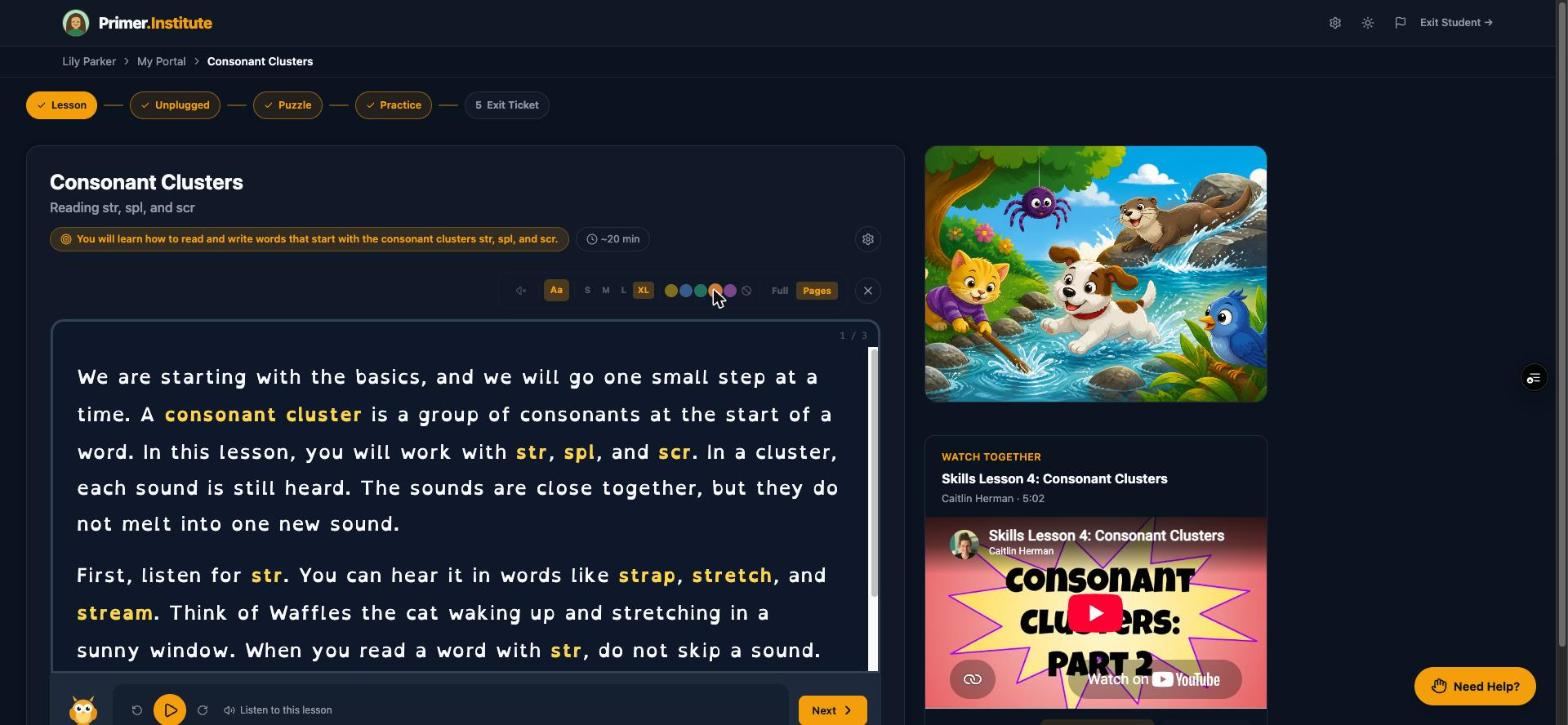
A tinted color overlay applied to a lesson passage

Dyslexia-friendly font, text size, and color overlays

The gear icon in any lesson switches to a typeface designed to reduce letter confusion, scales text up to XL, and lays one of five tinted overlays over the page for readers who find white glare makes text shift. Full view replaces page flipping with one continuous scroll for students who lose their place.

Inside a lesson →
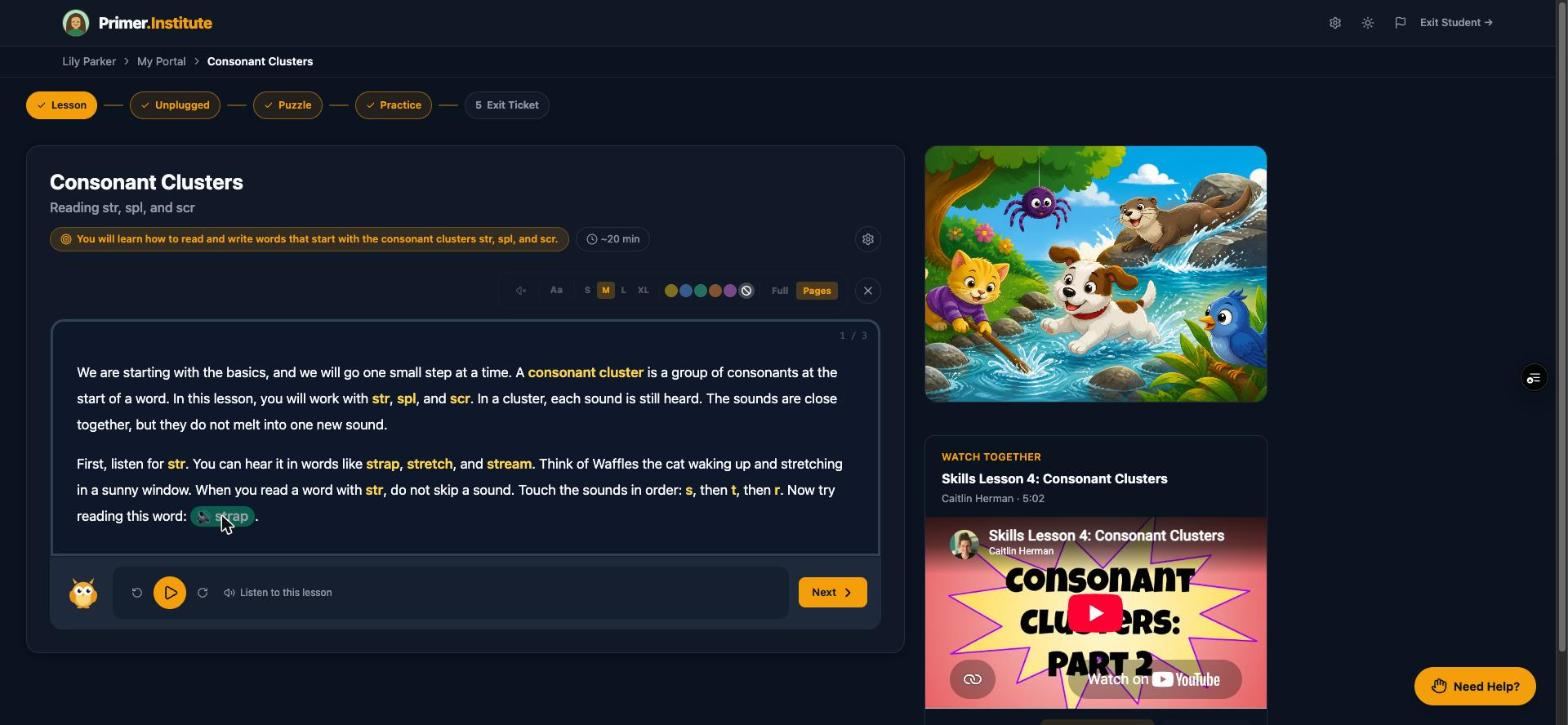
A clickable sound-out word chip inside a lesson passage

Sound-out words, built into the text

In phonics lessons, the words that match the pattern being taught appear as chips. Tap one and Primer sounds it out, breaking it into its component sounds rather than reading it whole. It shows up automatically on the right words; nobody has to turn it on.

See a closed syllables worksheet →
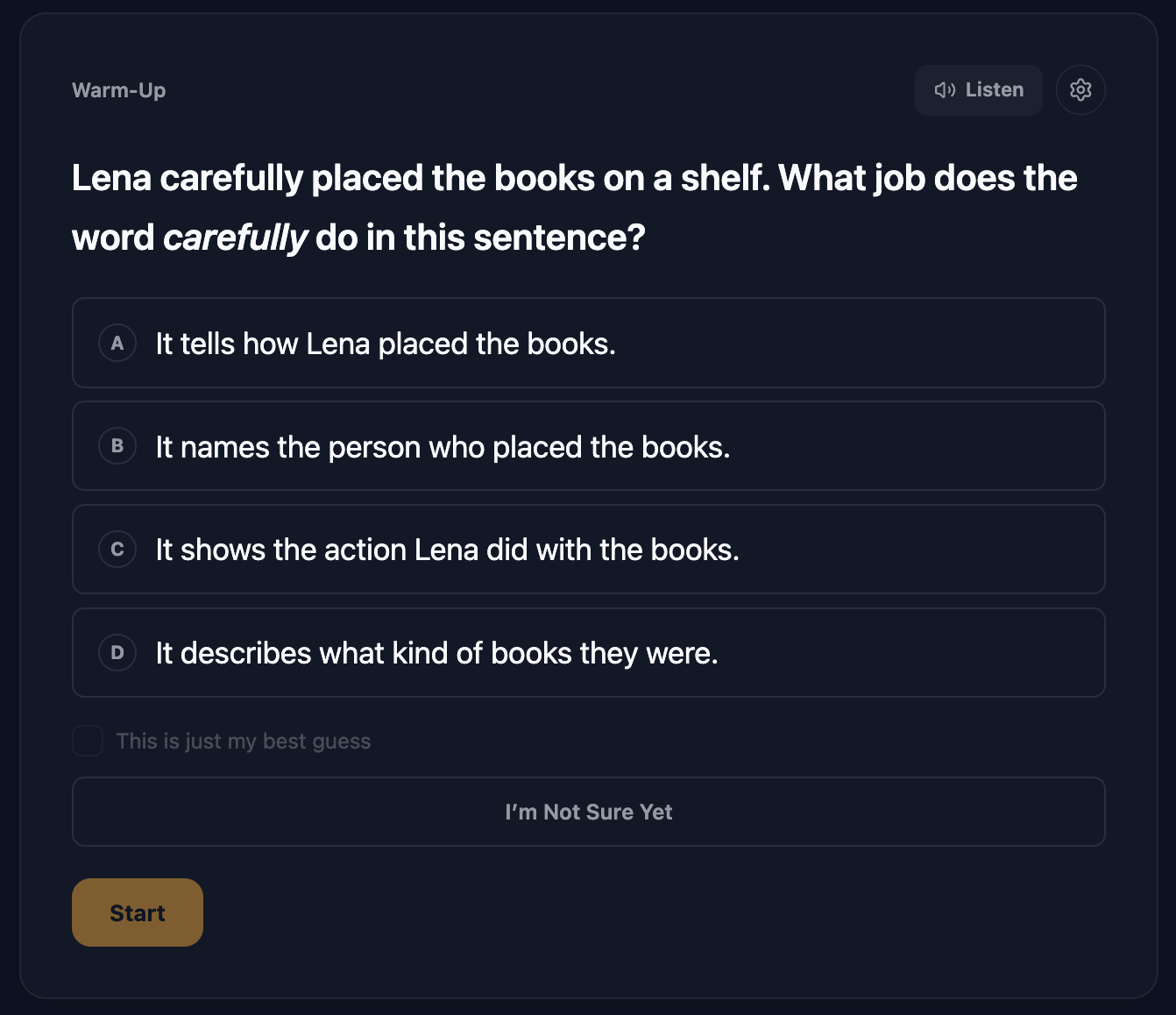
A Starting Point Check question with Listen and settings controls in the corner

A placement check that never shows the word

The Starting Point Check finds where a student should begin each subject. Spelling and phonics questions are dictation style: the student hears the word and never sees it, because showing it would answer the question. Their usual supports are on automatically, and the rule that discounts fast taps is switched off for students with accommodations on file.

How the Starting Point Check works →
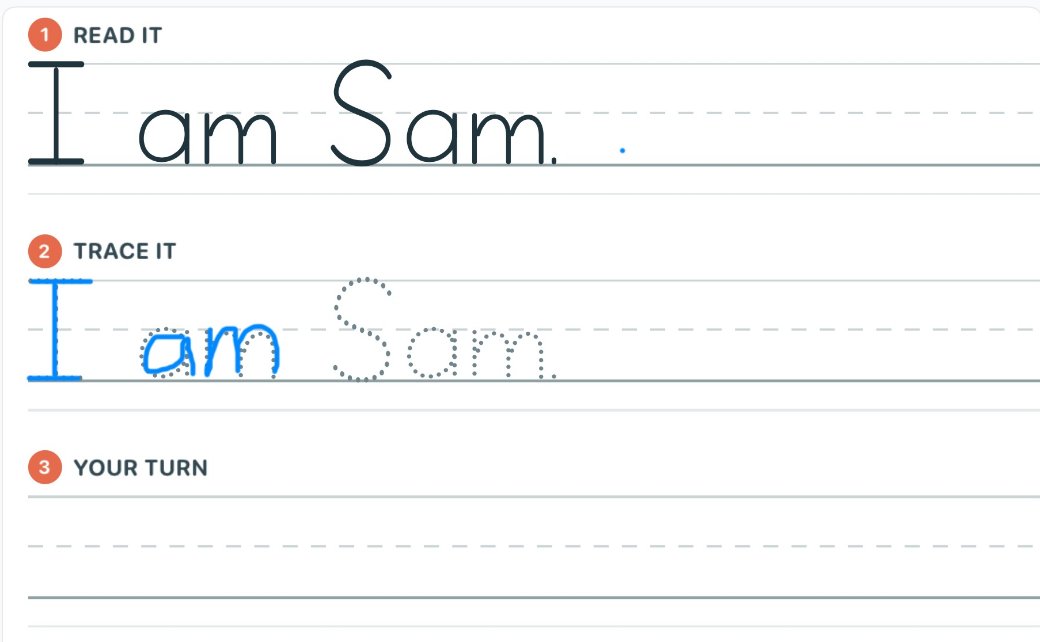
A Primer sentence practice worksheet: read it, trace it, your turn

Handwriting that catches reversals

Handwriting pages are generated from the letters your student is still shaky on, with animated stroke order and a five-column gradual release. Finished on an iPad with Apple Pencil, every letter is measured, and the report calls out reversed letters by name.

Handwriting practice, built for one student →
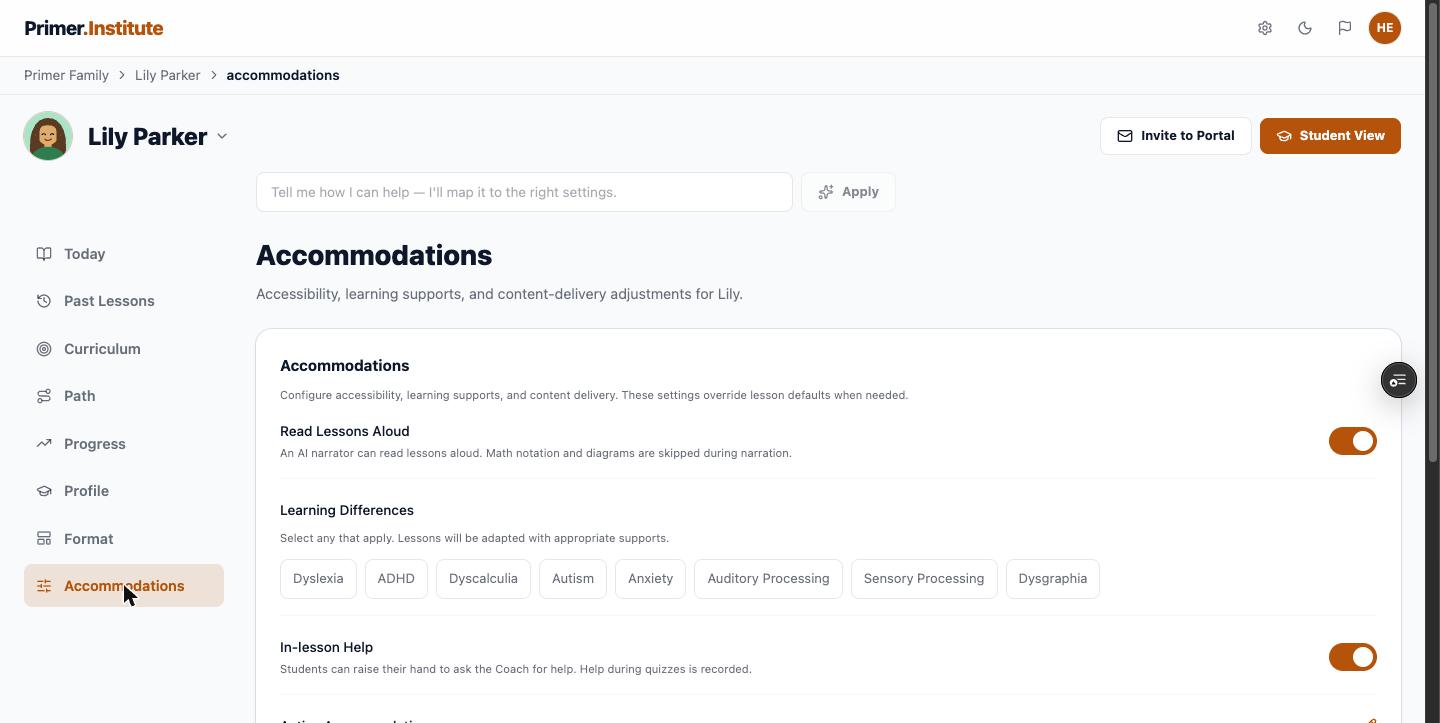
The Accommodations tab with the Read Lessons Aloud toggle and learning-difference tags

Supports you set once, in plain language

Intake asks about learning differences and what has helped before. It is parent-reported context, not a clinical assessment, and it feeds the Accommodations tab, where supports like read-aloud live day to day. When a support is no longer needed, the weekly report celebrates that too.

The Accommodations tab →
Getting started

Set it up once. It adapts from there.

  1. Try one free lesson first. A first name, an age, one thing they love, and one topic. No account. The lesson opens on your screen in a minute or two.
  2. Tell Primer about them. Five to ten minutes at intake on what they love, where they get stuck, what has helped before, and what you want them to master.
  3. Let them find their starting spot. Offer the Starting Point Check on each subject, or pick the starting unit yourself, then generate the first batch.
  4. Read the week. A written summary lands every week, with the numbers behind it a click away, and a teacher you can email.
$40 per student, per month
  • Full K through 12 curriculum
  • About 100 lessons a month
  • Read-aloud and dyslexia-friendly mode
  • Weekly parent progress summary
  • 14-day free trial, cancel anytime
Start Free Trial
Questions parents ask

Before you decide

Is Primer a dyslexia program or a full curriculum?

A full K through 12 curriculum with the supports a dyslexic student needs built into every lesson. Reading is taught explicitly, pattern by pattern, and every other subject can be read aloud so the student learns the content without the decoding load. Primer is not a therapy and does not diagnose anything.

Does my child need a formal diagnosis to use the accommodations?

No. The intake interview asks about diagnosed or suspected learning differences and anything that has helped in the past, and you can leave it blank. The font, overlays, text size, and read-aloud are available in every lesson regardless.

Will the read-aloud make my child dependent on it?

Read-aloud is a per-lesson choice or an account-level default, and you can change it any time. Reading lessons still ask the student to decode and sound out words themselves; read-aloud is there for the subjects where reading is the obstacle rather than the point.

What happens when a lesson is still too hard?

A Need Help? coach sits on every step, and the student can tap a word or a sentence to ask about it. The exit ticket at the end of each lesson tells Primer what to reinforce next, and if the first lessons in a subject go badly after a placement, Primer moves the starting point back on its own and tells you.

See what a lesson written for your kid looks like.

One free lesson, no account: their name, one thing they love, and one topic. Or start a free trial and let them find their starting spot.