ADHD

Homeschool Curriculum for a Child with ADHD

Starting is the hard part. Then staying on the page. Then the meltdown when it has been forty minutes and nothing is finished. A homeschool curriculum for a student with ADHD has to be short, structured, interesting enough to pull them in, and forgiving when a day goes sideways.

Five short steps per lesson Off-screen break built in One idea at a time A missed week resets nothing
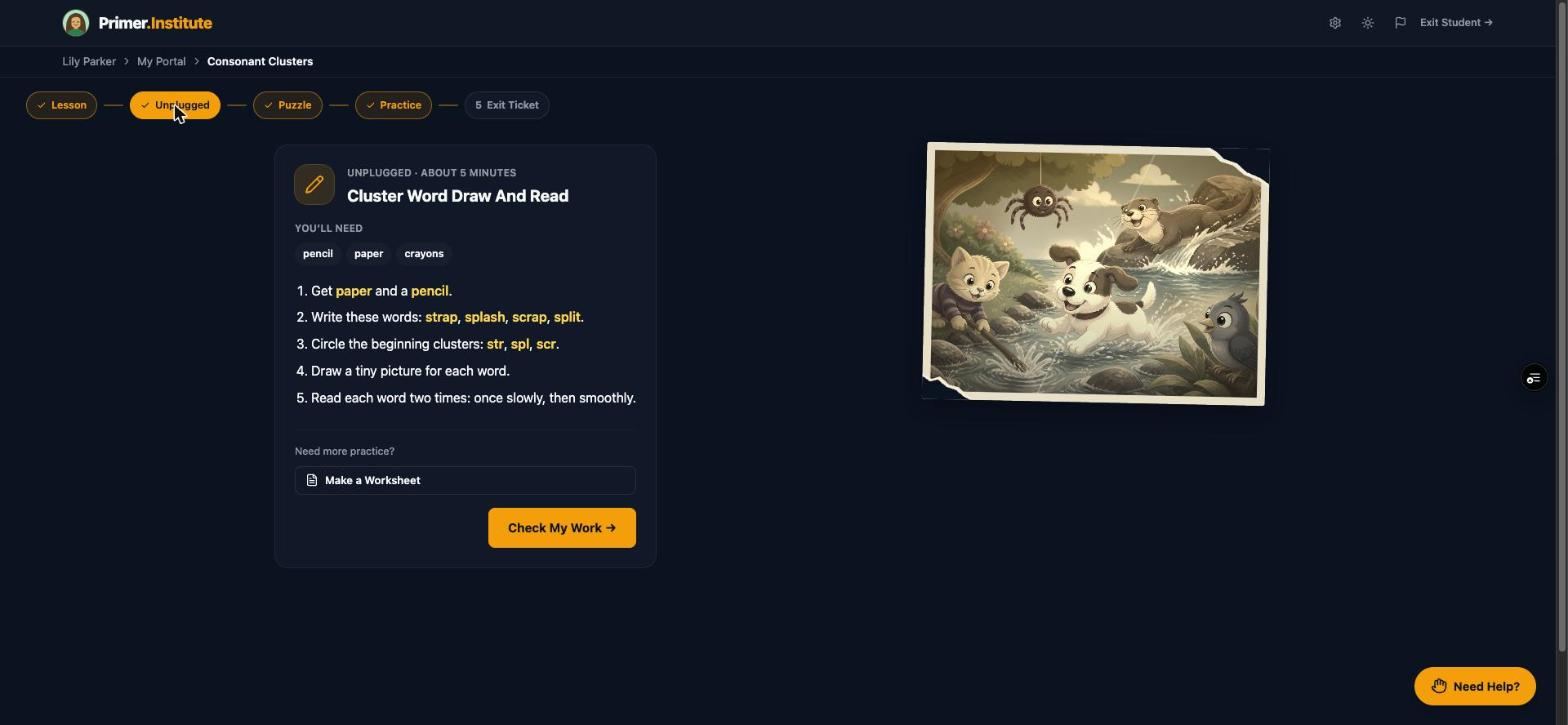
The Unplugged step of a Primer lesson, an off-screen activity with pencil and paper
What actually helps

The students who keep momentum are not the ones with the most willpower. They are the ones whose lessons are shaped to fit how they actually work.

Each of these rests on learning science that has been replicated for decades. The studies, in plain language, are on the research page.

1

Short, predictable, and the same shape every time

A lesson that always runs the same five steps, in the same order, in about thirty minutes, is one a student can start without a parent in the chair. Knowing what comes next is half of getting through it.

2

Interest is not a reward. It is the curriculum.

When material connects to a student's own life, they learn more: randomized studies raised both interest and grades, with the largest gains for the students who struggle most. For a student who cannot sustain attention on something boring, the subject matter being theirs is the attention strategy.

3

Move, then come back

A built-in break that gets the student off the screen and doing something with their hands, every lesson, is not time lost. Writing a word by hand or solving a problem on paper uses a different kind of memory, and for a student who struggles to stay engaged on a device it is often where things click.

How Primer handles it

Here is how a Primer lesson is shaped, and the controls you have over pace and pressure.

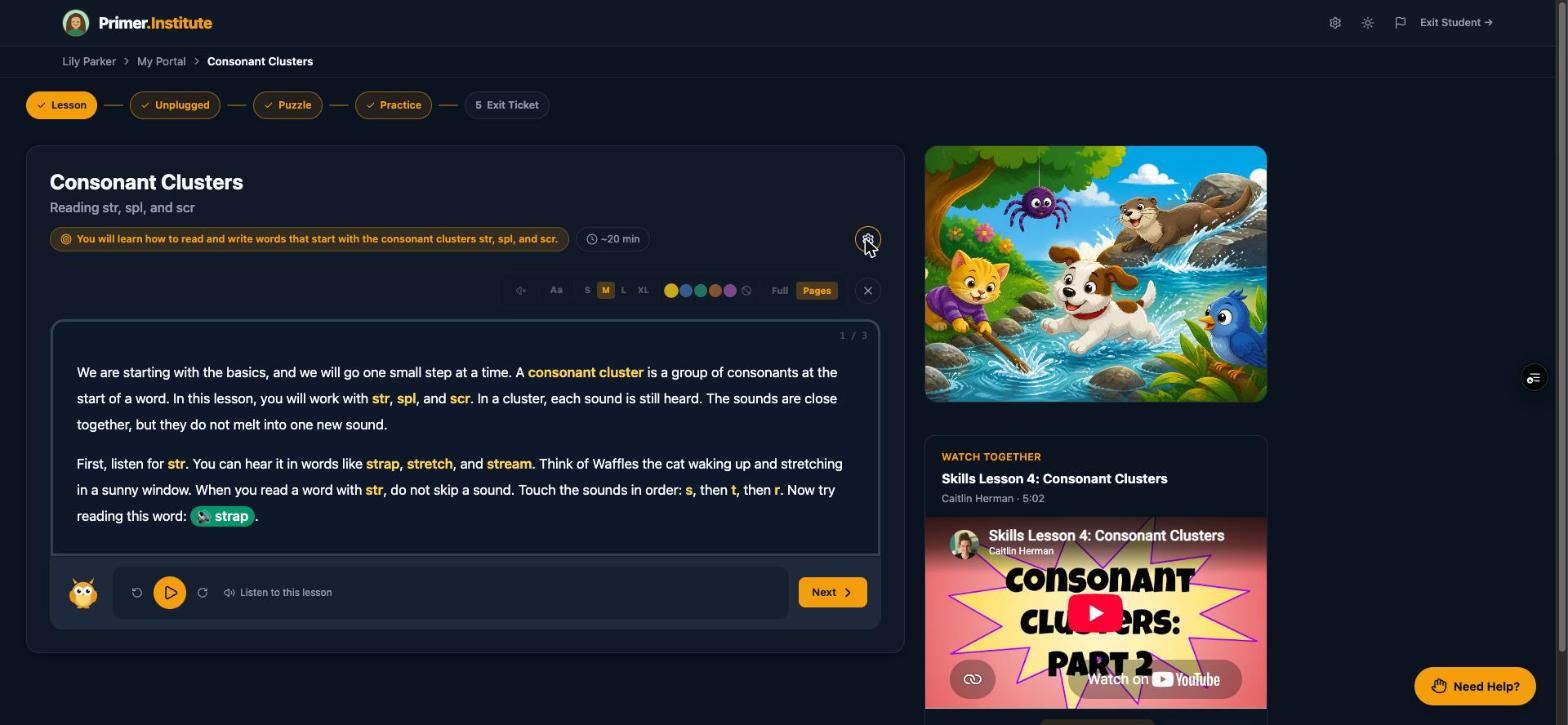
A Primer lesson with the five-step stepper across the top

Five steps, about thirty minutes, every lesson

Lesson, Unplugged, Puzzle, Practice, Exit Ticket, shown as a stepper at the top of the screen. Each step is checked off as it is done, so a student always knows where they are and how much is left. A lesson opens full screen, one idea at a time, with a visual drawn for that idea.

Inside a lesson →
The Unplugged step listing materials and numbered instructions

An off-screen break in the middle

The Unplugged step is five to ten minutes with pencil and paper, built around the same skill the lesson just taught. It lists what is needed, gives numbered instructions, and ends with a Check My Work button. Or print the worksheet and do it at the table.

Unplugged activities and worksheets →
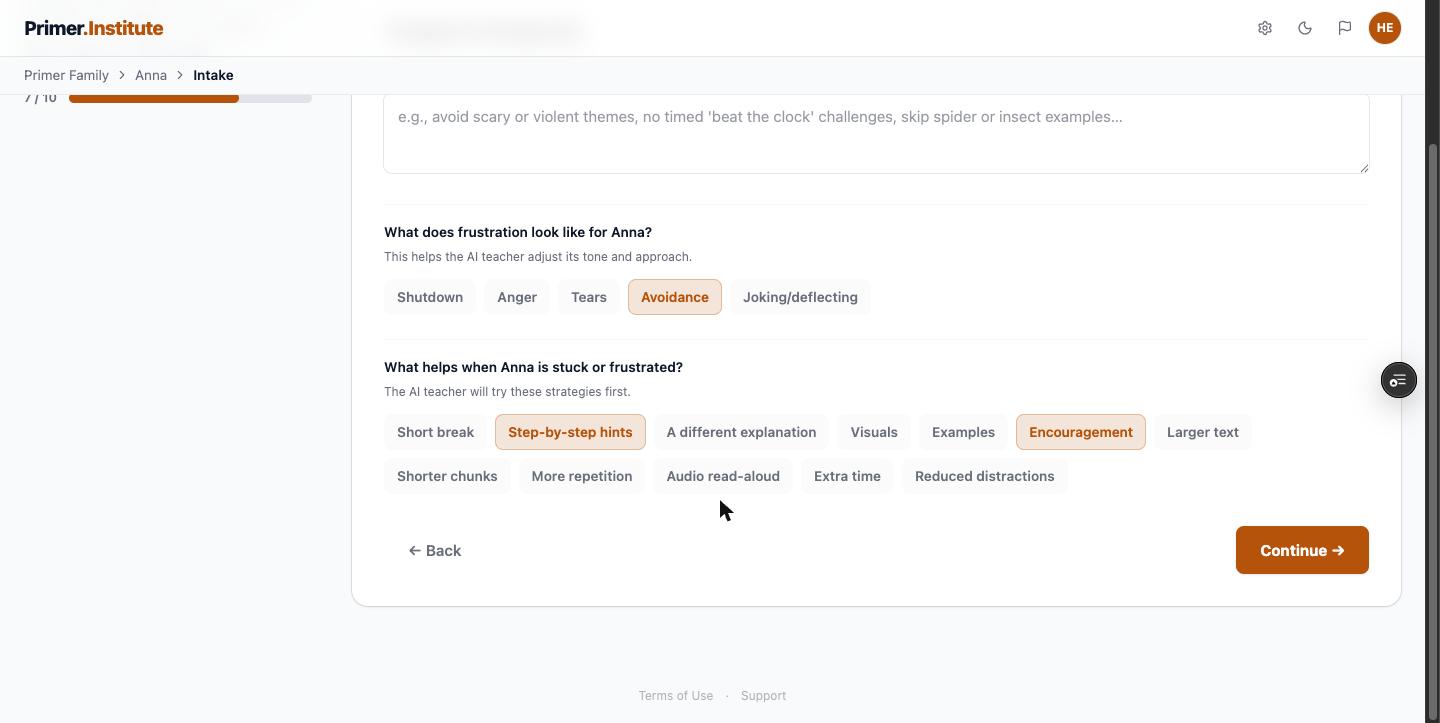
The intake step asking what frustration looks like and what helps

Tell Primer what frustration looks like

Intake asks what gets in the way (difficulty starting tasks, getting through word problems), what frustration looks like for this student, and what helps them recover: short breaks, step-by-step hints, encouragement. Those answers shape how lessons are written and sit on the Accommodations tab, where supports like transition help are listed and editable.

The intake interview →
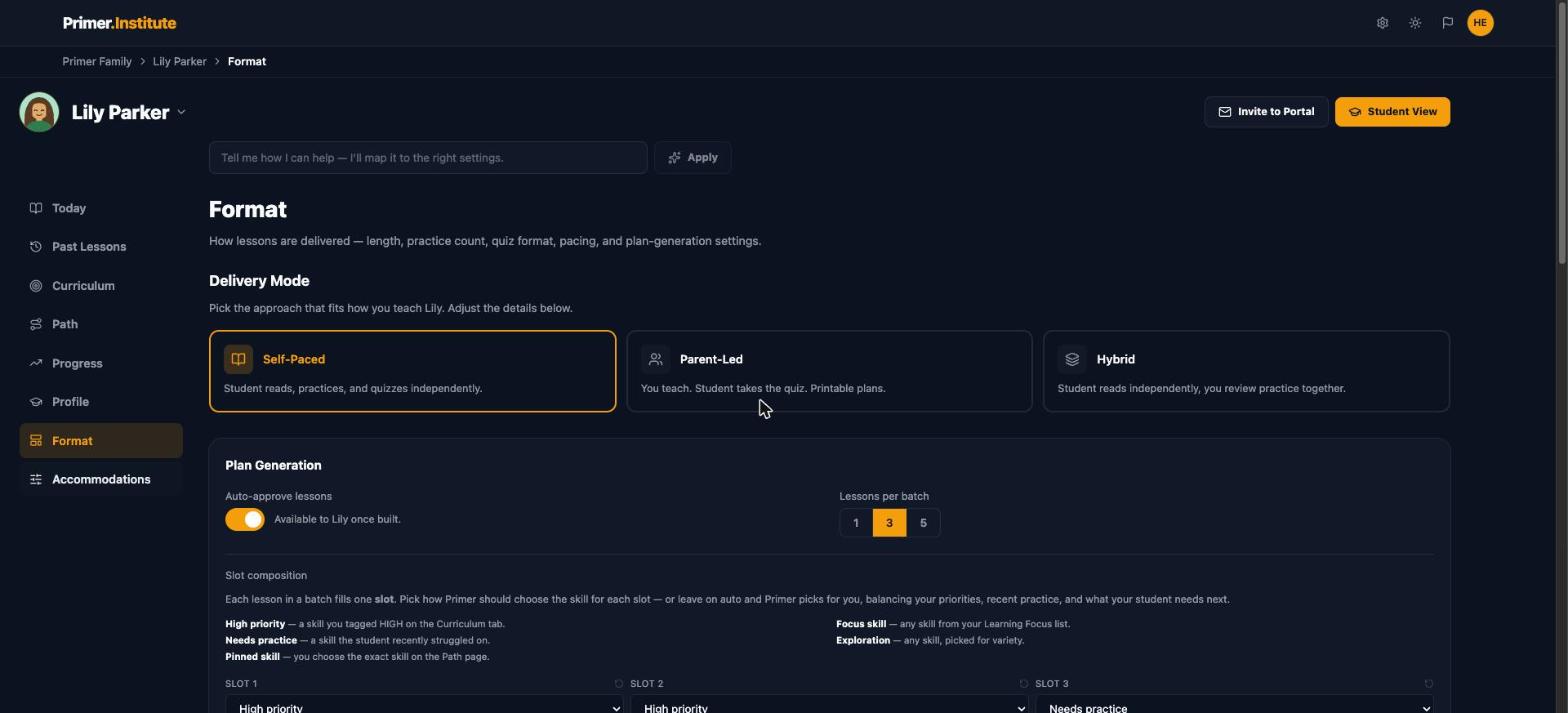
The Format tab with Delivery Mode and Plan Generation settings

One lesson at a time, if that is the right batch

Plan Generation sets how many lessons get built at once: one, three, or five. One lesson in the queue means nothing sits unfinished staring back at them. Delivery Mode sets how independent the student is: Self-Paced, Parent-Led, or Hybrid, where they read alone and you review practice together.

Building a weekly routine →
The Need Help panel with quick options and a question box

A coach on every step, so you are not the one nagging

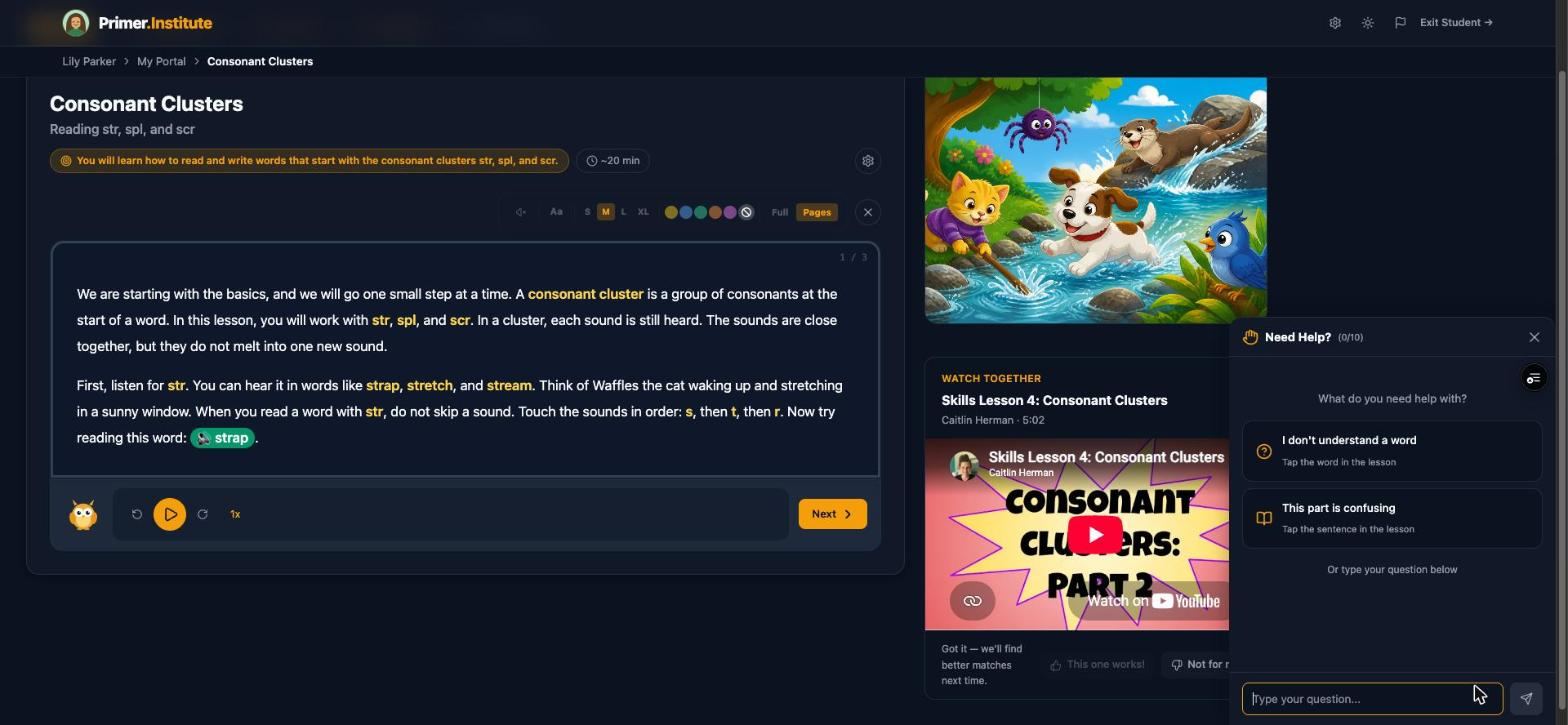
The Need Help? button floats on every step. The student can tap a word they do not understand, tap a sentence that is confusing, or type a question, and get an answer without calling you over. The weekly report shows how often they asked and about what, and higher numbers usually mean engaging instead of guessing.

The Help Requested report →
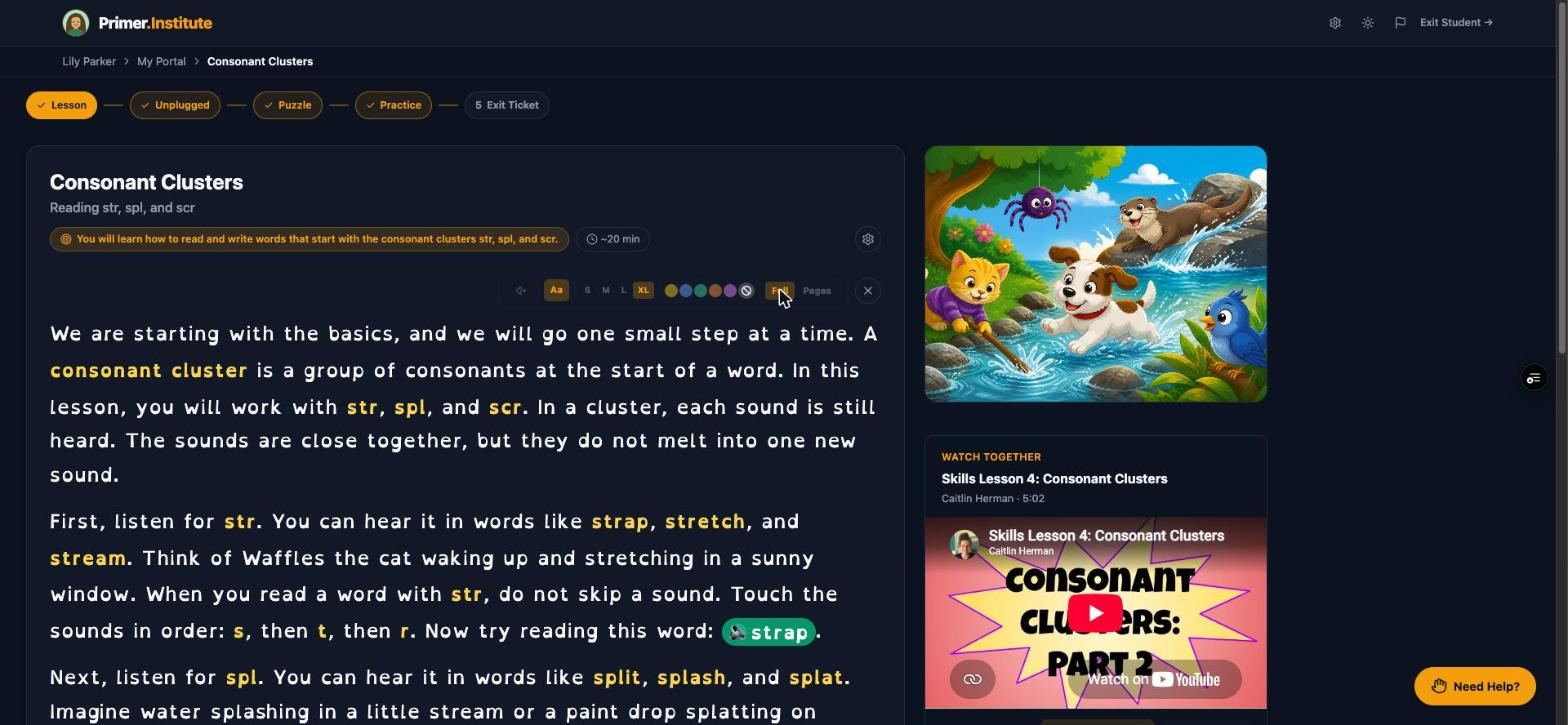
Full view showing a lesson as one continuous scroll

Pages view, Full view, and a placement with no timer

Some students focus better on one small chunk at a time; Pages view gives them that, and Full view gives a single scroll to students who find page flipping disruptive. The Starting Point Check has no timer and no score, and the rule that discounts fast answers is switched off for students with a pacing need on file.

Personalizing the lesson player →
Getting started

Set it up once. It adapts from there.

  1. Try one free lesson first. A first name, an age, one thing they love, and one topic. No account. The lesson opens on your screen in a minute or two.
  2. Tell Primer about them. Five to ten minutes at intake on what they love, where they get stuck, what has helped before, and what you want them to master.
  3. Let them find their starting spot. Offer the Starting Point Check on each subject, or pick the starting unit yourself, then generate the first batch.
  4. Read the week. A written summary lands every week, with the numbers behind it a click away, and a teacher you can email.
$40 per student, per month
  • Full K through 12 curriculum
  • About 100 lessons a month
  • Read-aloud and dyslexia-friendly mode
  • Weekly parent progress summary
  • 14-day free trial, cancel anytime
Start Free Trial
Questions parents ask

Before you decide

How long is a Primer lesson?

About thirty minutes across five steps, and the student can stop between steps. Set the batch size to one lesson and a session has a clear end. Ten minutes of handwriting or one lesson most days does more than a long session on Friday.

What if we miss a week?

Nothing expires and nothing resets. Lessons stay queued exactly where they were. The useful move is to pick one short lesson and get back into rhythm rather than catching up all at once. If missed weeks keep happening, that is a signal about the pace, and the batch size and delivery mode are there to change it.

Does my child need an ADHD diagnosis to use this?

No. Intake asks about diagnosed or suspected learning differences and what has helped before, and it is explicit that nothing in the app is a clinical assessment. The lesson shape, breaks, and interest-based examples are the same for every student.

Can they do it without me sitting next to them?

In Self-Paced mode the student reads, practices, and takes the exit ticket on their own, with the Need Help? coach on every step and read-aloud if they want it. Parent-Led and Hybrid modes are there for the days or the student that needs more of you.

See what a lesson written for your kid looks like.

One free lesson, no account: their name, one thing they love, and one topic. Or start a free trial and let them find their starting spot.