A coach on call
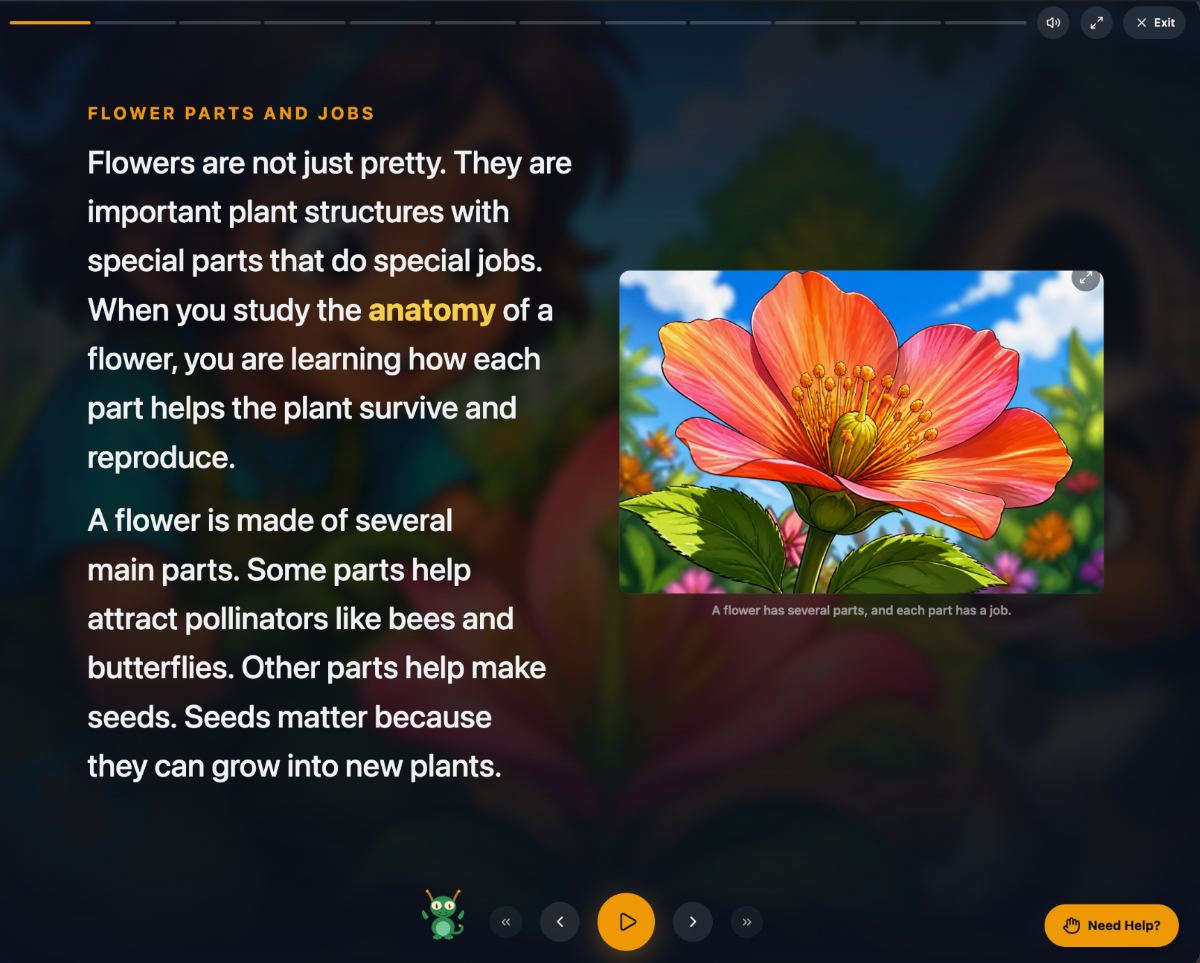
A Need Help? button sits in the corner of every step. Tap a word they do not know, tap a sentence that is confusing, or type a question. You can read every exchange afterward, so you know what they asked and what they were told.


Your student is doing fine in most subjects. Fractions are not fine. Switch on just that skill, and Primer builds a ladder of lessons through it, starts where they are stuck, and teaches it one lesson at a time, around the things they already love.
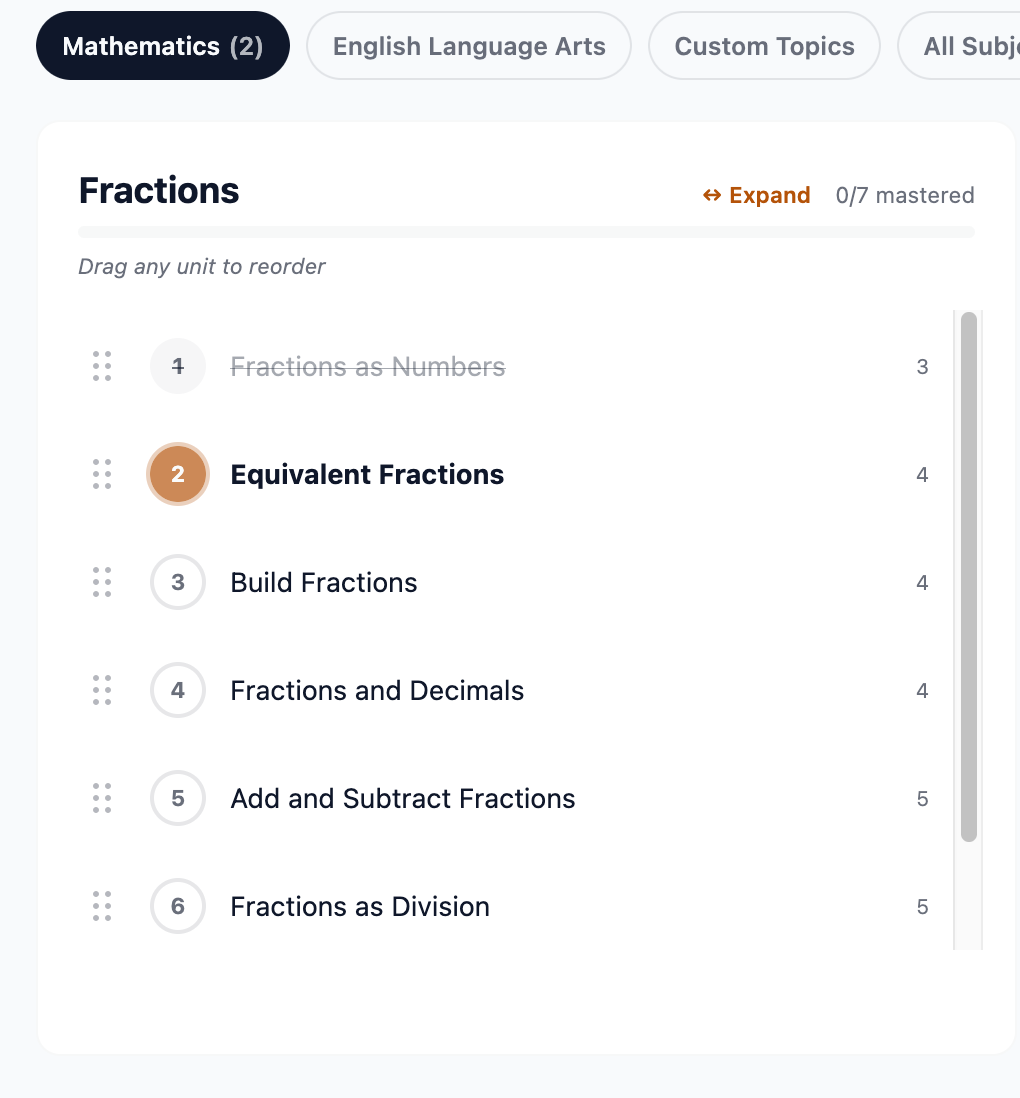
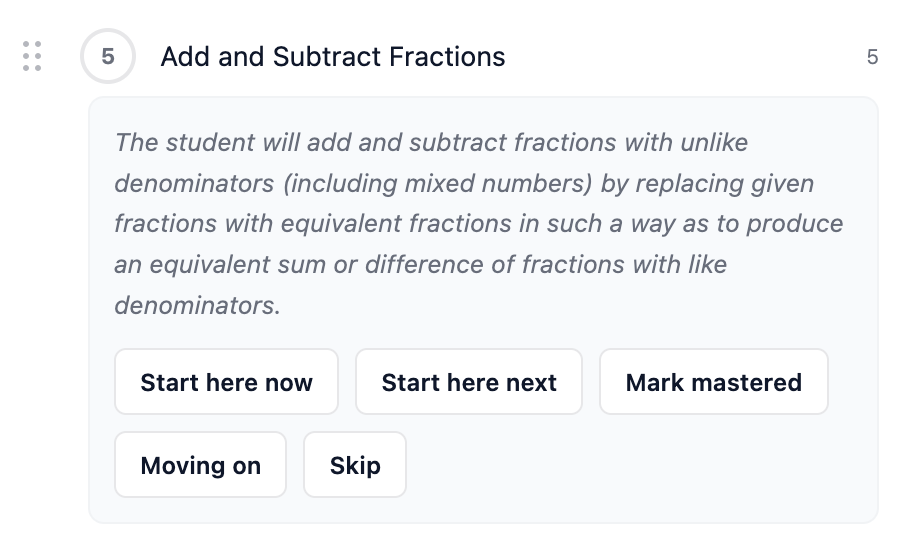
One skill switched on. Lesson one mastered, lesson two in progress, and the typical grade level on every rung.
Primer was built to reimagine education around one student at a time. A tutor works on one problem. So can Primer.
Fine in class, stuck on one thing. Long division. Reading fluency. Fractions with unlike denominators. Switch on that skill and nothing else, and Primer finds the rung they are actually missing, which is often a grade or two below where the trouble shows up.
"She gets everything except fractions."
Ready for more than the class is doing. A fifth grader who wants pre-algebra now, not in two years. The grade band filter picks the list you browse, not the student, so you can add a middle school skill to an elementary student who is ready for it.
"He is bored, and bored is becoming a problem."
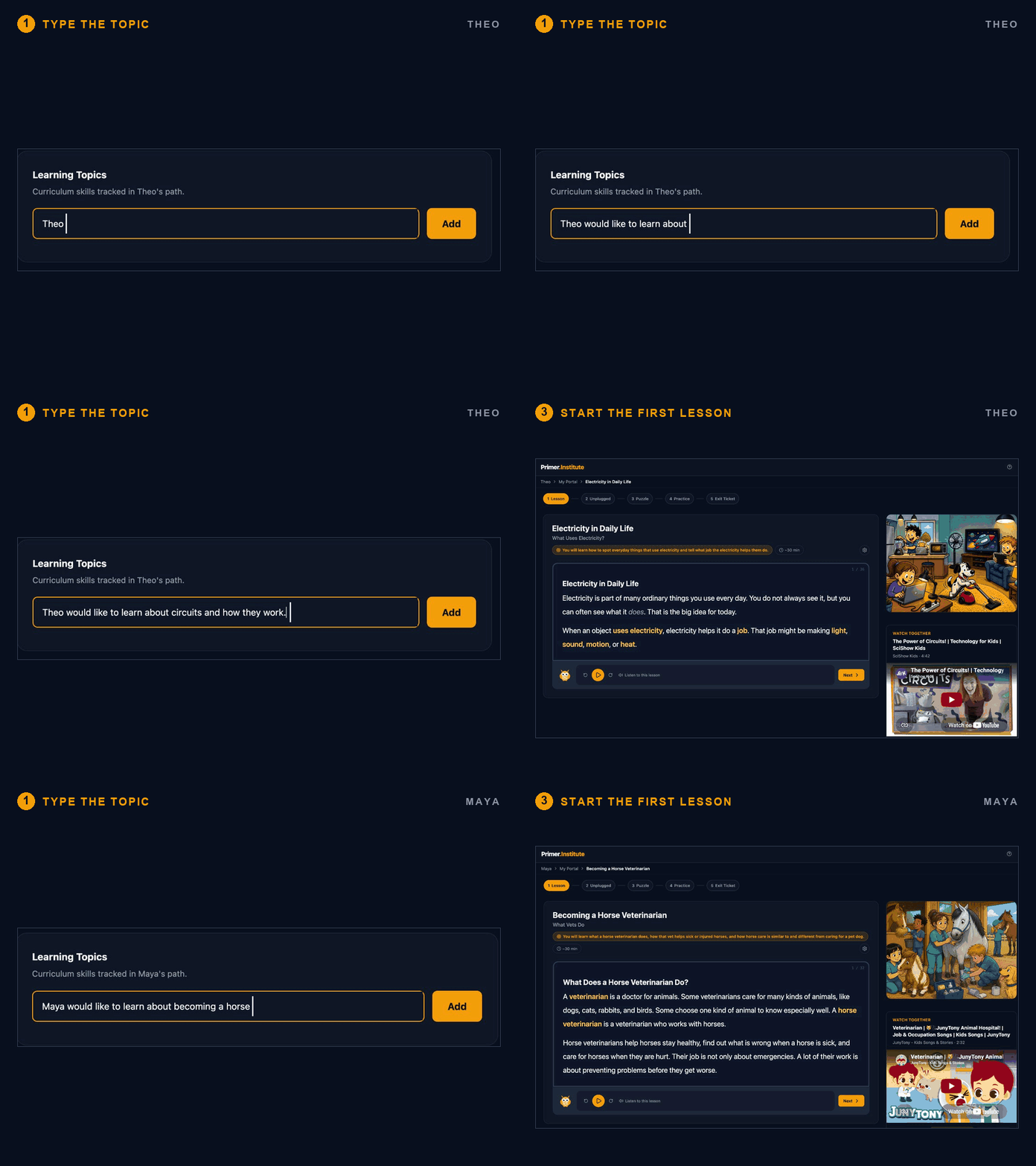
Something school will never get to. How circuits work. Becoming a horse vet. Type one sentence in your student's words and Primer turns it into a sequenced course that runs like any other skill, with the same lessons, the same progress, and the same exit tickets.
"She asked about it at dinner and I had no answer."
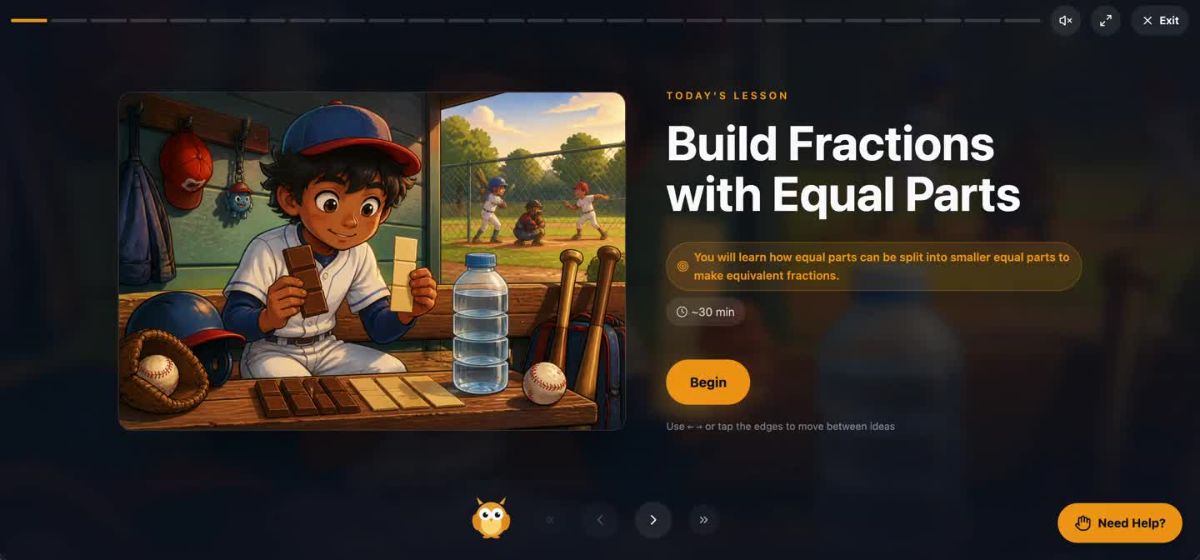
The reason tutoring works is that someone sits down and teaches the subject through the student in front of them. Primer starts the same way. Tell it one thing your student loves, and the lesson is written inside that world. Here is the same equivalent fractions lesson, twice.
Theo loves baseball, so his equivalent fractions lesson opens in a dugout. Look at what the boy is holding: a chocolate bar broken into two pieces next to one broken into smaller pieces. The picture is not decoration. It makes the lesson's idea visible inside Theo's world, so he can often guess what the lesson is about before he reads a word.
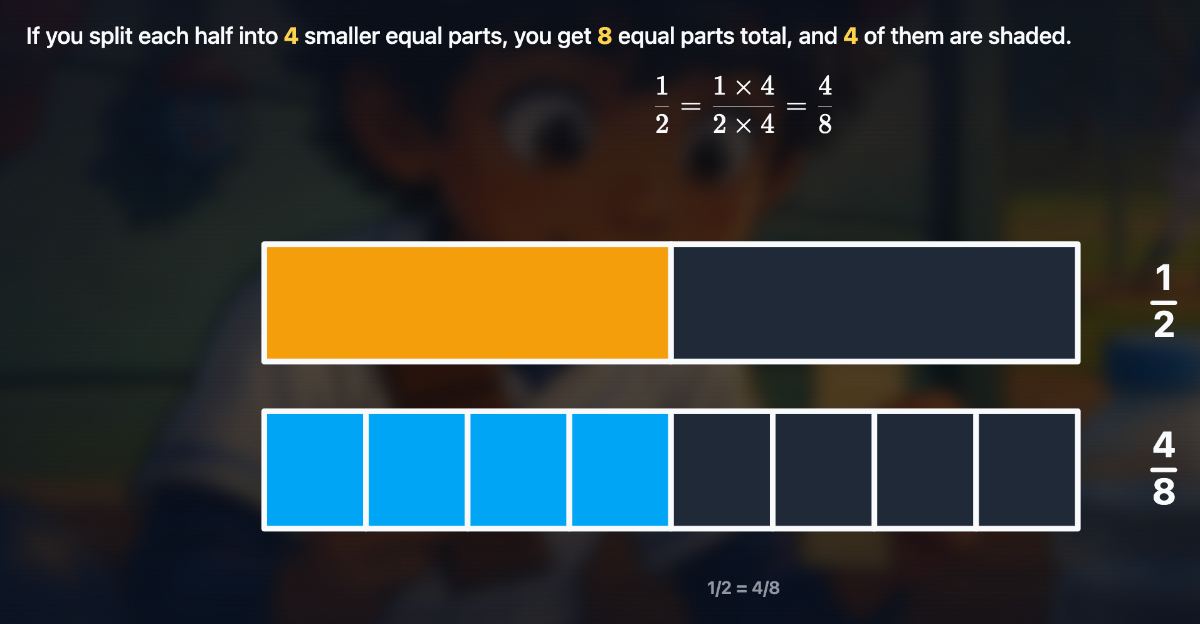
Then the math itself. The same half, split into four smaller equal parts, becomes four eighths, and the bars show it. The dugout got him in the door. The bars do the teaching.
Watch the whole lesson, about 90 seconds, on the home page, or read how it is built in Cinematic Lessons.
Maya wants to be a horse veterinarian, and she has a whole path on that. But the interest does not stay in its own lane. Her equivalent fractions lesson opens in a stable, with a vet showing her two feed trays: one split into halves, one into quarters, the same amount of grain in each. That is the whole idea of the lesson, sitting on a table in her world.
A few slides in, the barn fades back and the fraction bars take over, the same way they do for Theo. The examples change. The objective does not. Only the world it happens in is hers.


It is not a reward for finishing the work. It is the work. And it is the difference between a student who shows up for tutoring and one you have to fetch.
Four screens, about ten minutes of setup, and the first lesson is on the table tonight. The decisions along the way are yours. The lesson writing is not.
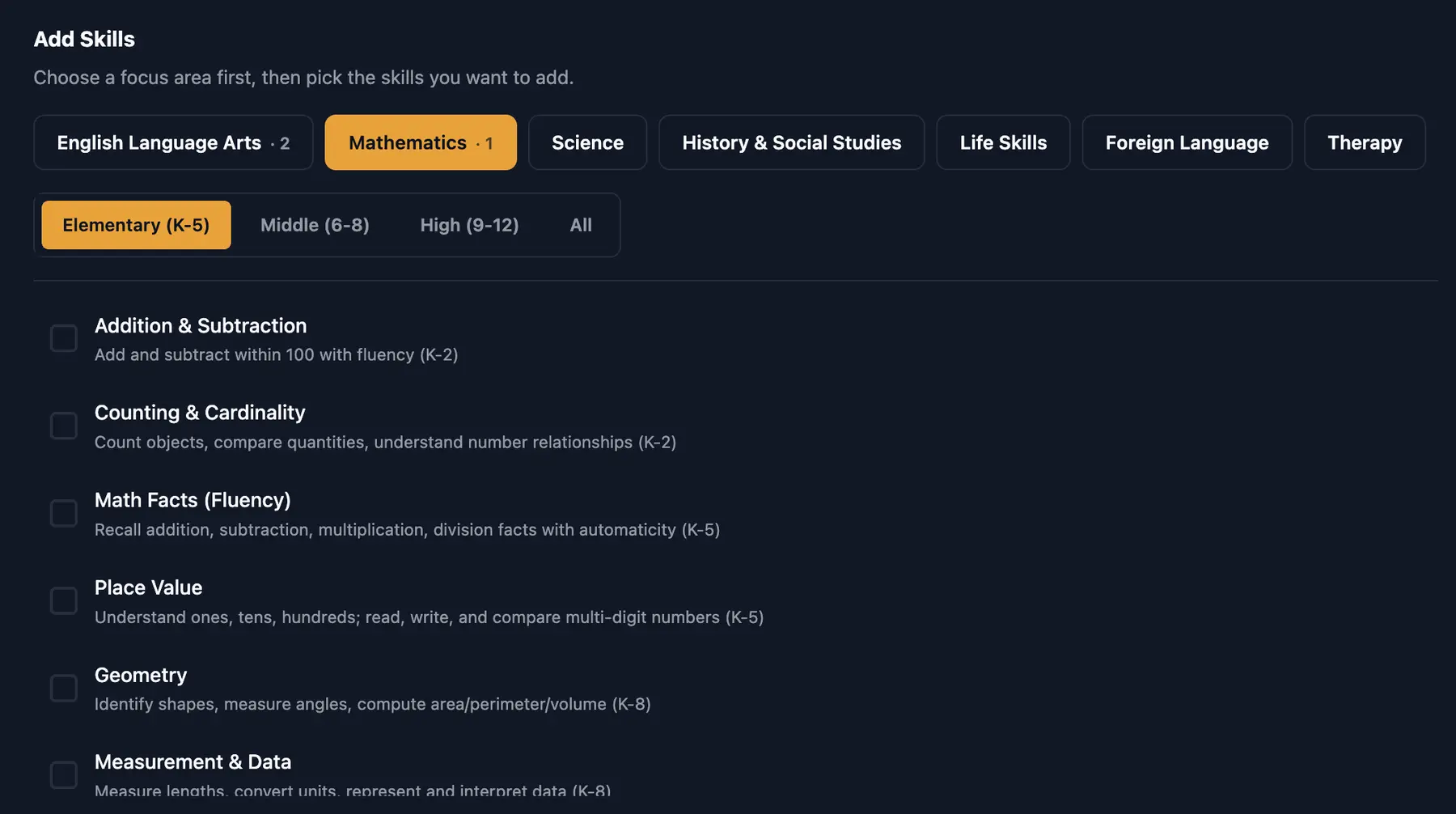
Choose a focus area, then check the one skill you want. Every skill states its scope and grade range in a sentence you can read: Math Facts (Fluency), recall addition, subtraction, multiplication and division facts with automaticity, K to 5. Nothing else turns on.
Your student's whole curriculum can be one line long, and it can stay that way. Add a second skill in a month, or never.

Primer breaks the skill into sequenced lessons, each resting on the one before. The small number on the right of every row is the typical grade level. Read down the Fractions column and it goes 3, 4, 4, 4, 5, 5. One skill, three years of school.
That is where tutoring usually goes wrong. A student who is lost in fifth grade fractions is often missing a third grade rung, and the ladder shows you which one. Open any lesson and the decisions are yours: Mark mastered for what they already have, Start here now for the rung they are on, Skip for what does not belong.
The full walkthrough of skills, paths, and the five buttons is in You Are the Principal Now.
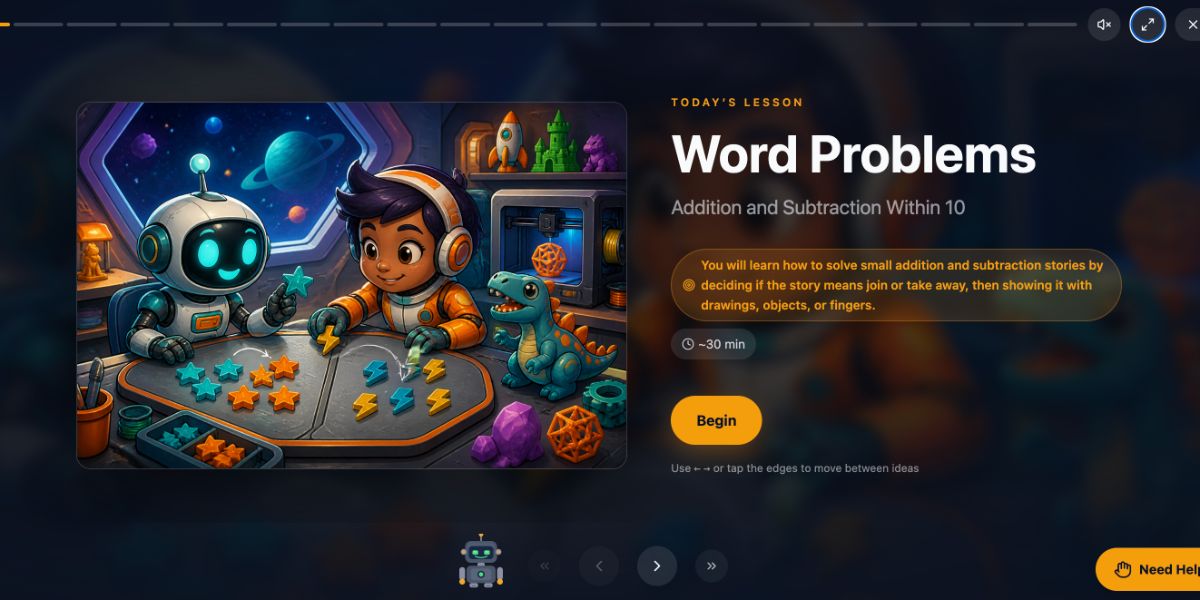
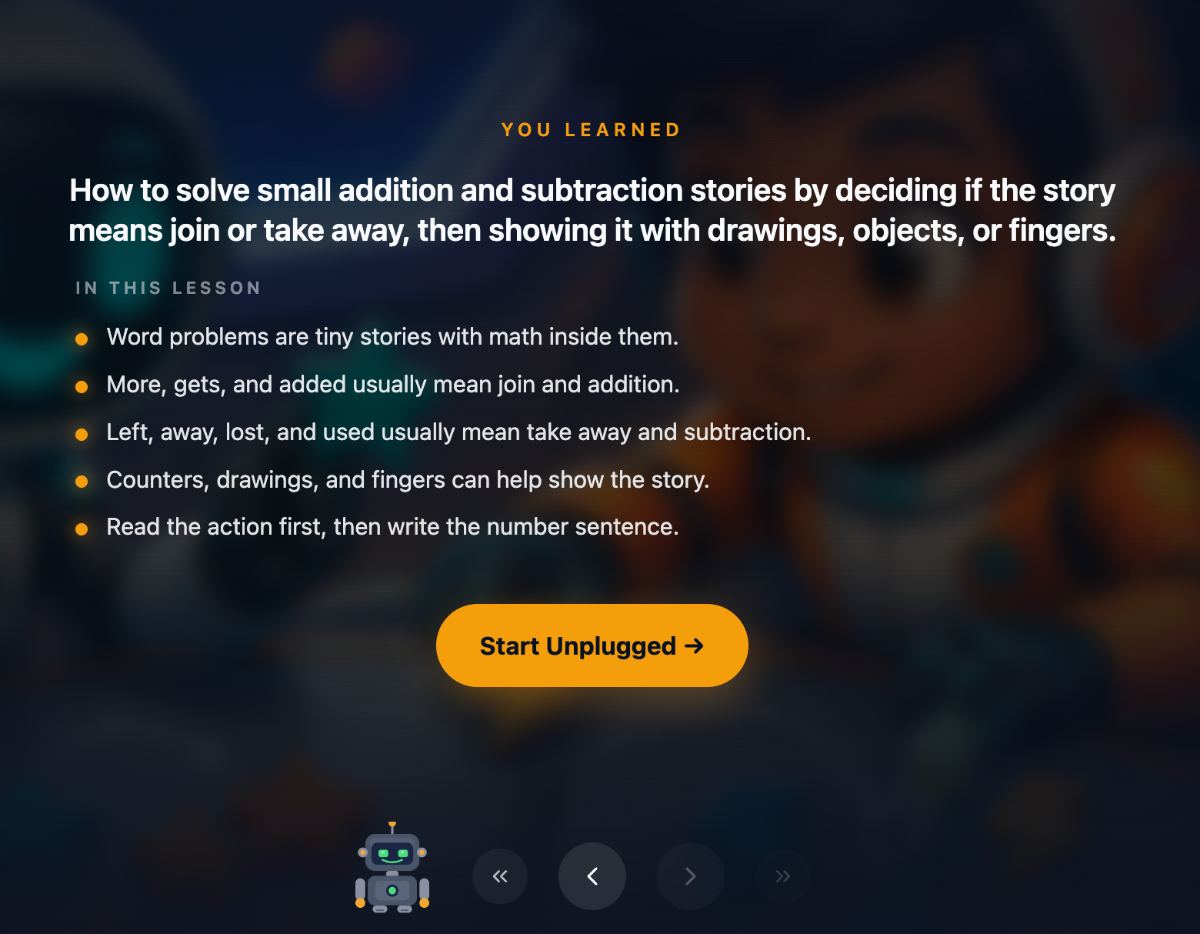
Every lesson runs the same five steps: Lesson, Unplugged, Puzzle, Practice, Exit Ticket. About thirty minutes, with read-aloud audio, key vocabulary highlighted, and a hand-picked video to watch together.
The examples are built around what your student loves, the way Theo's fractions live in the dugout above. A kid who wants nothing to do with reading gets a passage about otters and a cat named Waffles. And a Need Help? coach sits on every step for the moment they get stuck.
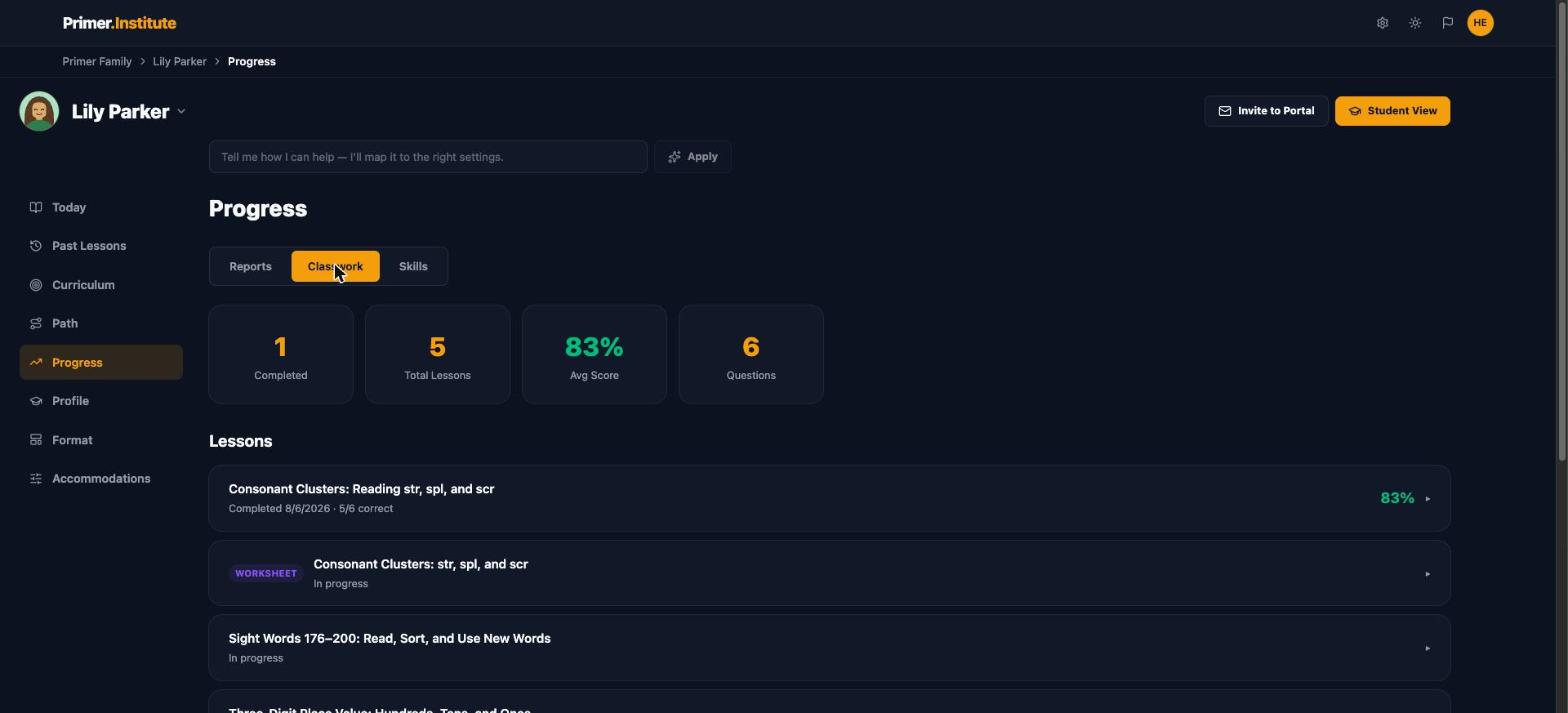
The exit ticket at the end of every lesson is the measuring stick. Each one moves the skill's mastery number, weighted toward recent work, so a rough September does not hide a strong November. One bad day is a dip, not a collapse. One good day is not a badge, either.
Primer does not call a skill mastered until three consistent exit tickets say so. When it does, drop the skill, add the next one, or cancel. There is no contract, and there is nothing to return.
How the numbers are measured, in plain language: Understanding Your Student's Progress.
Sometimes the gap is not a lesson. It is a subject. Add a whole skill ladder, or several, and Primer sequences the lot. The Path view lines every ladder up side by side with the grade level on each rung, so you can see exactly where your student stands in each one.
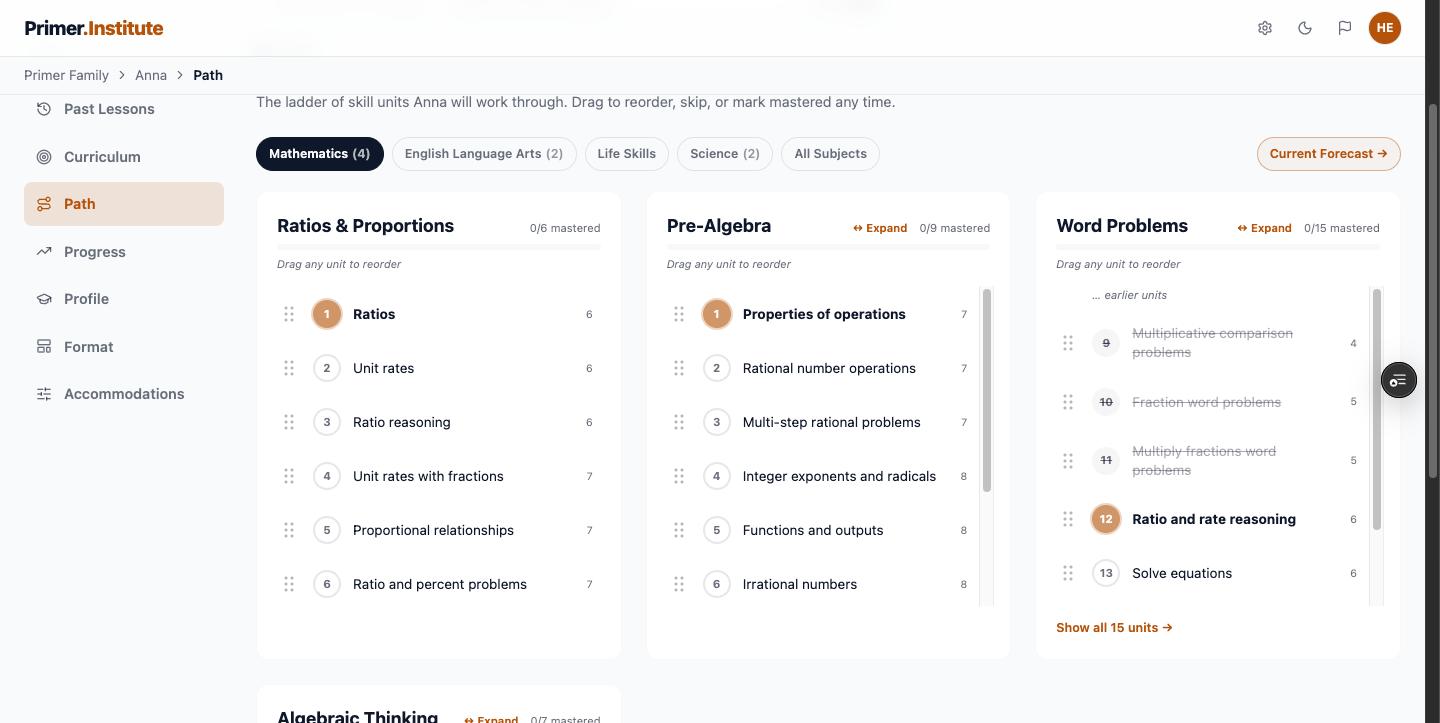
Add the three or four skills that slipped, walk each ladder and mark what they already have as mastered, and set the batch to three lessons a week. Nothing expires, a missed week does not reset anything, and a written summary of the week lands on your side of the screen.
The Elementary, Middle and High filters narrow the list you browse. They are not a declaration about your student. Add Pre-Algebra to a fifth grader who is ready, and the path opens at the rung a seventh grader would start on, with the grade number right there so you can see it.
Type what they want to learn, in their words. Theo got 15 units on how circuits work. Maya got 18 on becoming a horse veterinarian. Neither is a unit anywhere in the country, and both run like any other skill.
A tutor is not just someone who explains. They notice when a student is stuck, adjust, and come back to the thing that did not land. Each of those has a place in the lesson.
A Need Help? button sits in the corner of every step. Tap a word they do not know, tap a sentence that is confusing, or type a question. You can read every exchange afterward, so you know what they asked and what they were told.
Dyslexia-friendly type, four text sizes, tinted overlays, read-aloud on every page, and sound-out words on the exact skill a lesson teaches. All of it lives inside the lesson, so it never looks like a tool for kids who need help.
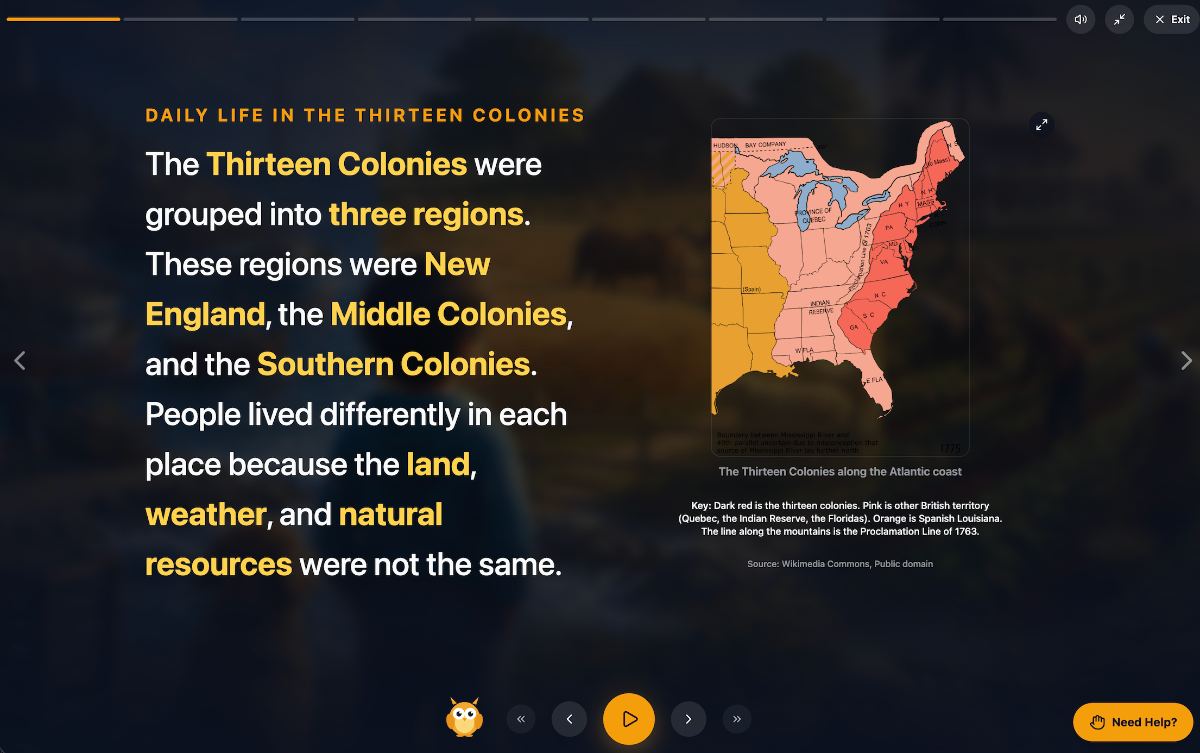
Every lesson closes with a recap of what they learned, then the exit ticket checks it. A missed question shows the student what to try next time, and the next lesson folds the miss back in until it sticks. Primer keeps a list of misconceptions that recur, and how it corrected each one.
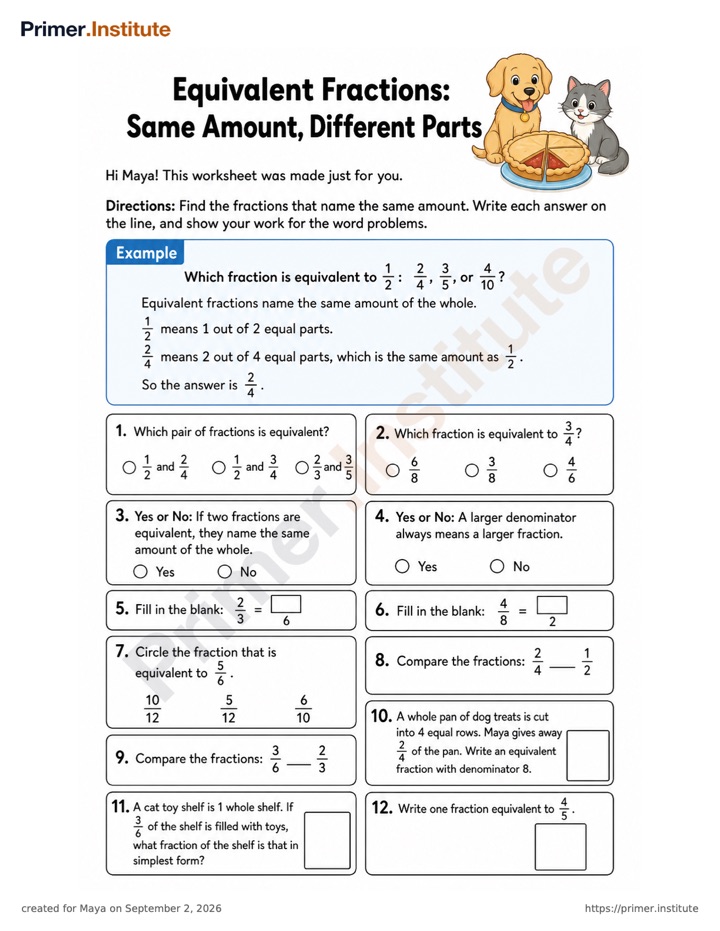
Every lesson comes with a printable worksheet, greeting by name, answer key on the last page. Need three more on multiplication because it is not quite sticking? Email your student's Primer teacher and they arrive as PDFs.
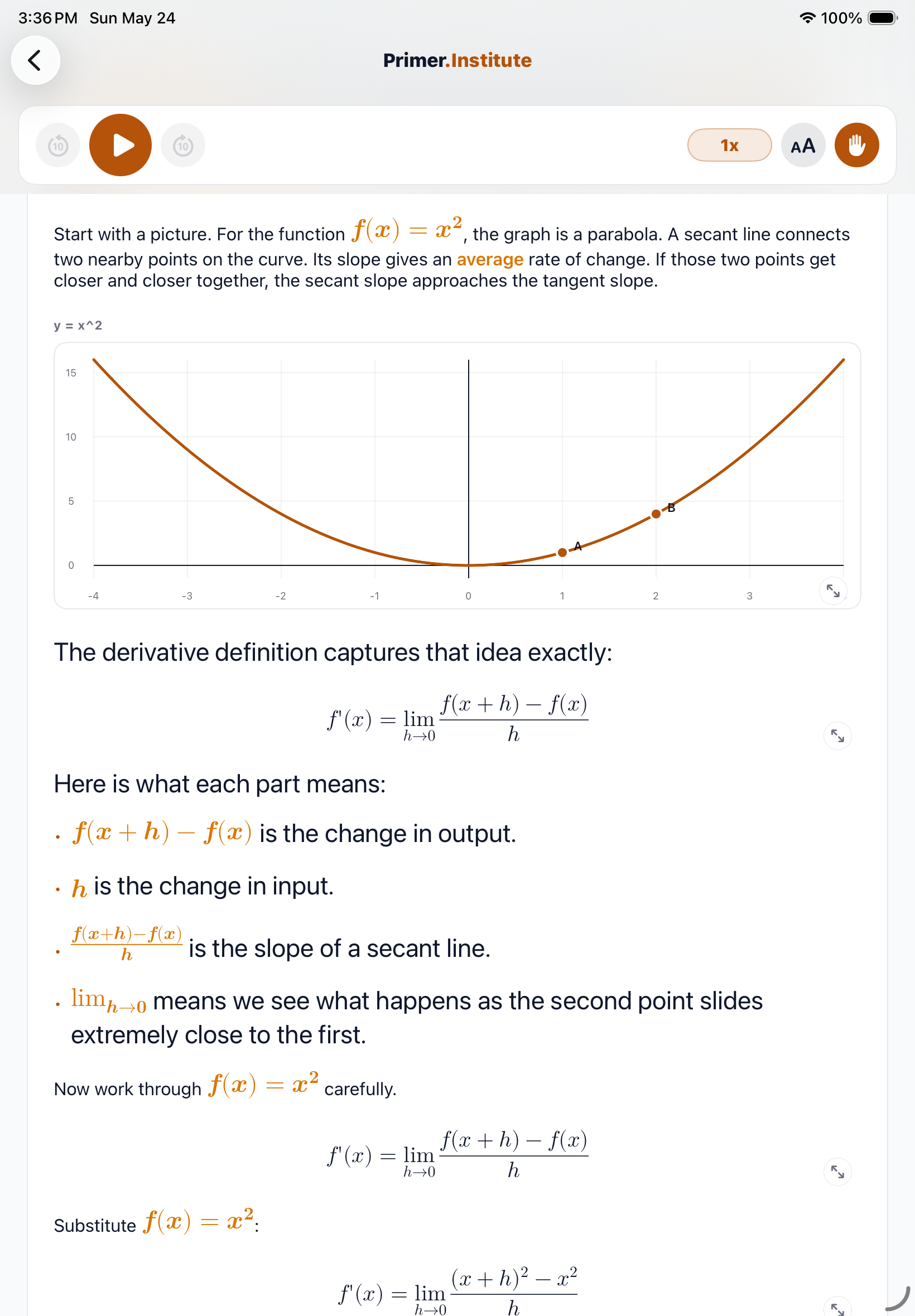
Every lesson has an Unplugged step: about five minutes with paper and pencil, measuring a room, drawing a map, building with whatever is around. The screen earns its place. It does not replace doing.
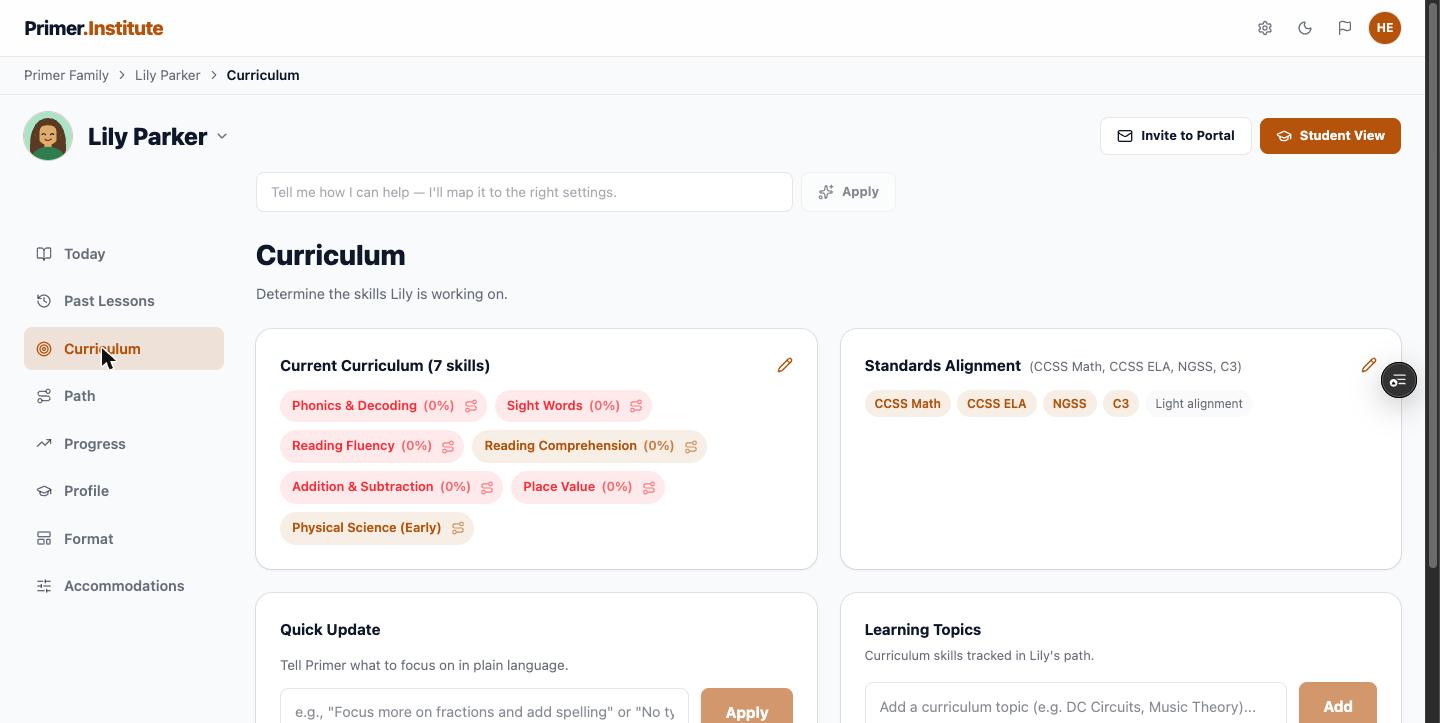
Skills line up with the standards most schools teach from: Common Core Math and ELA, NGSS, and C3. If class is on a specific topic this month, type it into the Quick Update box in plain language and Primer maps it into the plan.
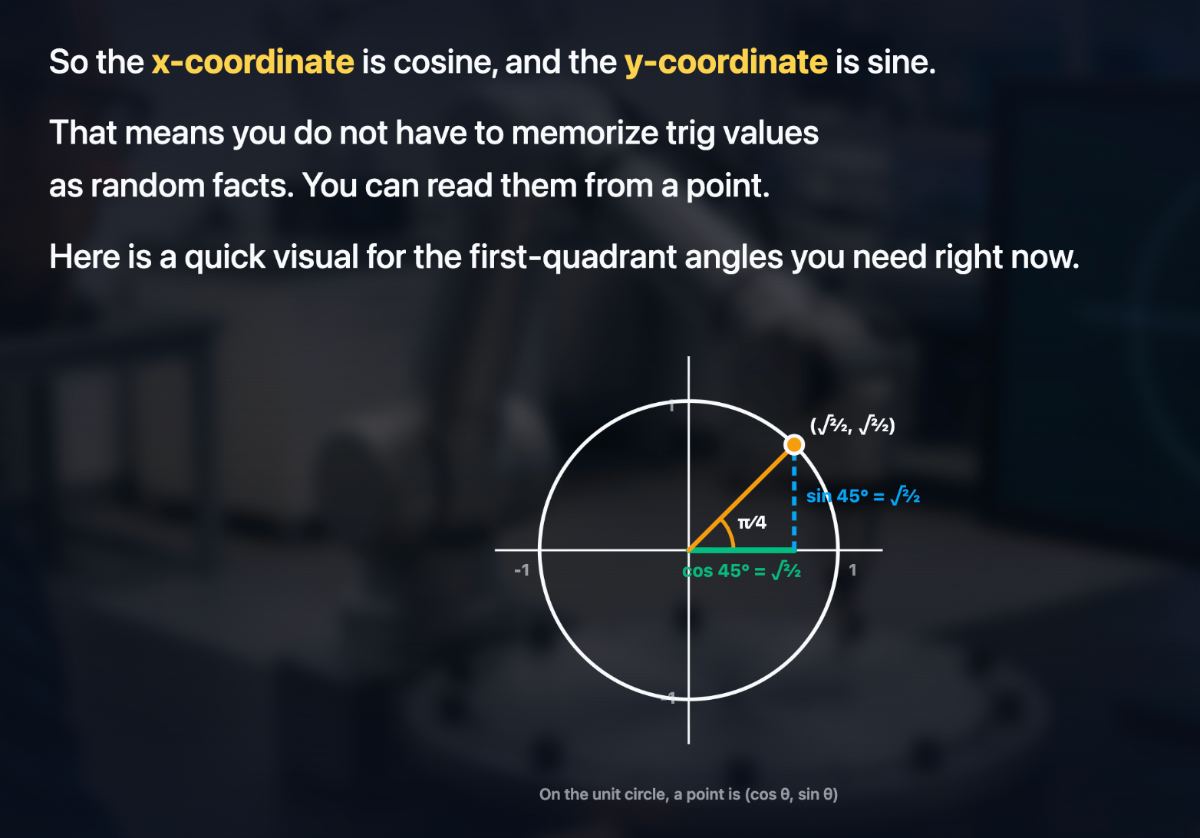
A tutor comes on Tuesdays at four. Primer is there whenever the twenty minutes turn up, on the web in any browser or in the iOS app on iPad, and it picks up exactly where the last session ended. The pace is a setting, not a schedule you have to keep.
Intelligent tutoring raised scores by about two thirds of a standard deviation, a typical student from the 50th to the 75th percentile, and beat controls in 46 of 50 studies.
Mastery learning, moving on only when a student has it, averages half a standard deviation across 108 evaluations, with the strongest effects for the weakest students.
Tutors charge by the hour. Primer is a flat monthly price for every subject and every grade, with 1,000 credits a month, about 100 lessons, which is more than any tutoring schedule uses. Start with 200 risk-free credits, free for 14 days. Cancel anytime, no contracts.
No. Add one skill and press Generate Lessons. A curriculum of one skill is a complete curriculum in Primer. You can add more later, or never.
Primer's skills are aligned to the standards most schools teach from, Common Core Math and ELA, NGSS, and C3, so the ladder covers the same ground in roughly the same order, and each lesson shows its typical grade level. If class is on a specific topic this month, open that rung and press Start here now, or type a note in the Quick Update box on the Curriculum tab.
A full lesson runs about twenty to thirty minutes across its five steps: Lesson, Unplugged, Puzzle, Practice, and Exit Ticket. Set the batch size to one lesson and nothing sits unfinished between sessions. It runs on the web in any browser, or in the iOS app on iPad, and picks up where it left off on either.
Yes. In Self-Paced mode the student reads, practices, and takes the exit ticket on their own, with the Need Help? coach on every step and read-aloud audio if they want it. Parent-Led and Hybrid modes are there if you would rather teach it yourself or review together afterward. More on delivery modes.
Primer's lessons and teachers are AI. Every student has a named Primer teacher with their own email address, on the student's Profile tab. Write to ask for extra worksheets, a pacing change, or an honest read on how it is going, and you will hear back within a few minutes. Emailing your student's teacher.
Primer records the skill as mastered once three consistent exit tickets say so, and celebrates it. Then drop the skill and add the next one, keep going, or cancel. There is no contract and nothing to return.
Try a single free lesson on the skill that needs work, no account required. Or start a free trial and have the first real lesson on the table tonight.