Your name and logo
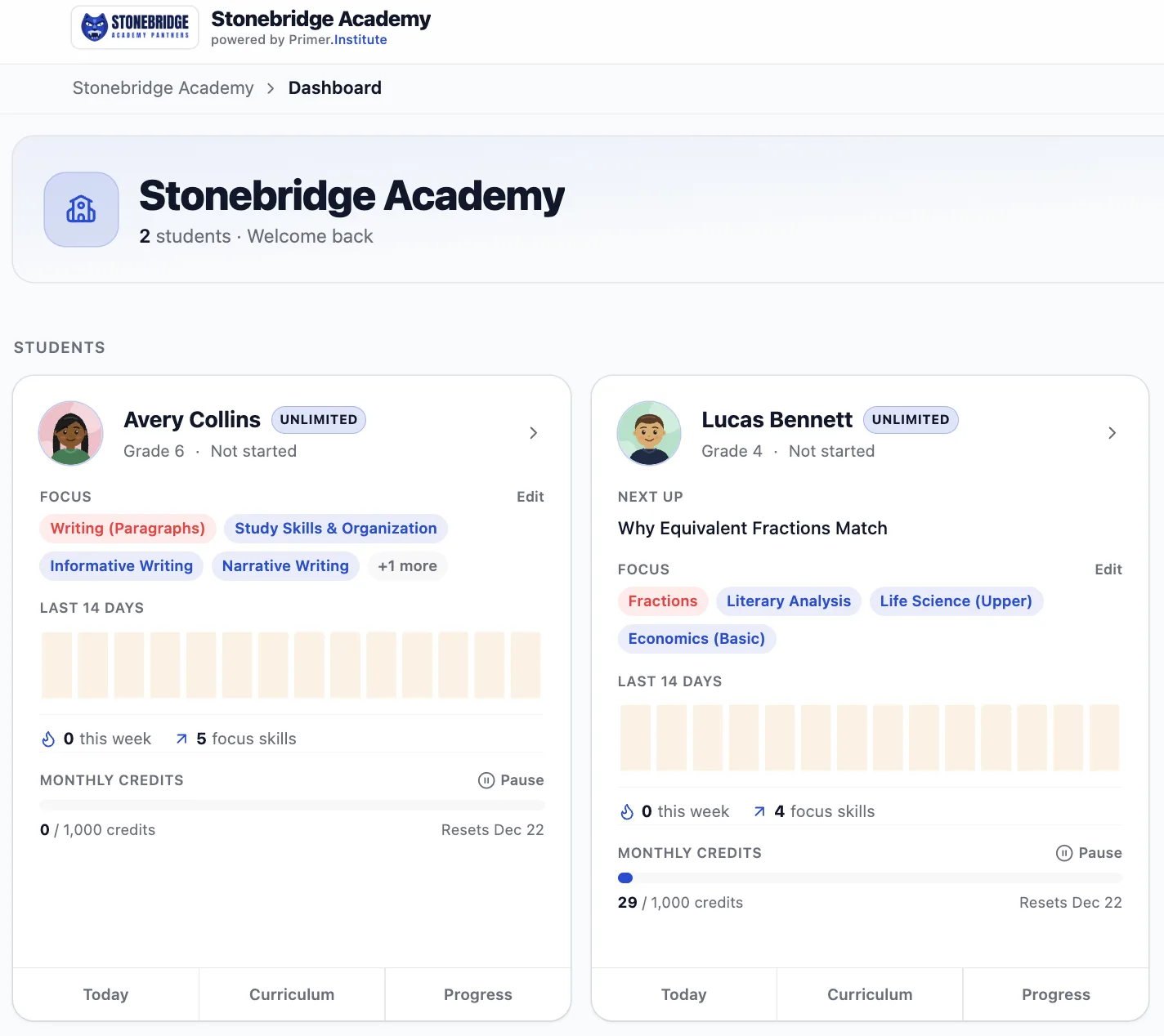
Your logo and name lead the top bar on every page, with a small "powered by Primer.Institute" line beneath. The breadcrumb starts with your name too.


Put your school's or tutoring company's logo, name, and color on Primer. Teachers see your brand on the dashboard, students see it in their portal, and the lessons are still built around each student.
 Stonebridge Academy
powered by Primer.Institute
You will identify common coins and bills and explain why money can be easier to use than trading things.
You will find a story or poem's theme, explain the clues that support it, and give a short summary.
Stonebridge Academy is Primer's demo school. The other three are made-up examples showing different logos and accent colors.
Branding is set once for the whole account and shows for every teacher and student in it.
Your logo and name lead the top bar on every page, with a small "powered by Primer.Institute" line beneath. The breadcrumb starts with your name too.
Pick one of eight accents for buttons, links, tabs, and highlights. Each is checked for contrast in light and dark mode, so everything stays readable.
Choose Navy or Charcoal for anyone who works in dark mode. Your logo always sits on its own white badge, so it reads on either.
The school dashboard, each student's page, curriculum, progress, and settings all carry your brand.
Invite a student to their own portal and they work through lessons under your name and colors, not ours.
Lesson diagrams keep Primer's own palette, so charts and fraction bars stay easy to tell apart whatever accent you choose.
Screenshots from Stonebridge Academy, a demo school account running in Primer today.
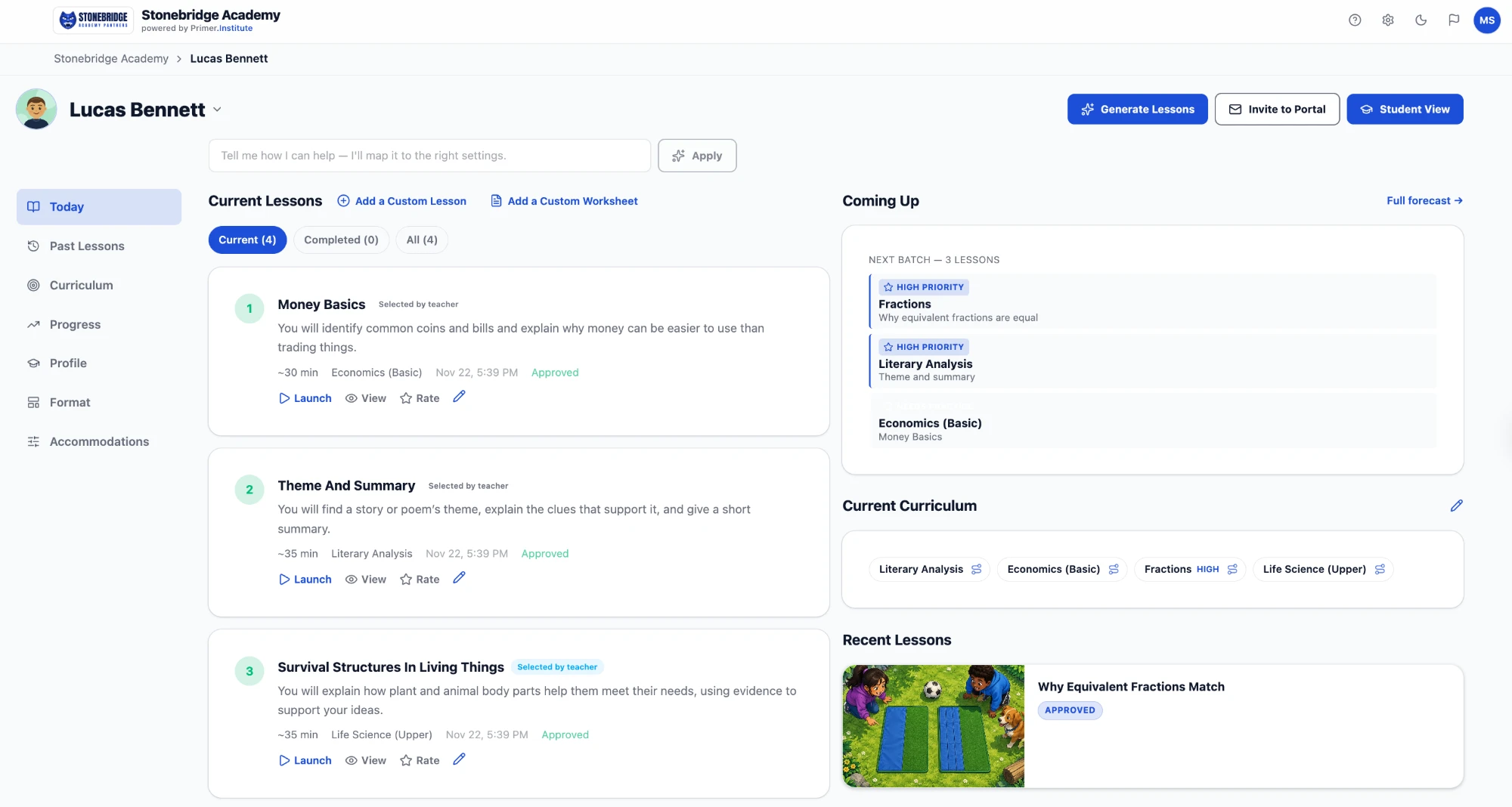
A student's page, with Royal Blue as the accent.
No sales call needed. The account owner does it all from settings.
When you sign up, pick the account type that fits. Branding is available to school and tutoring accounts.
Set your name, upload your logo (PNG, JPEG, or WebP, up to 2 MB), and pick an accent and dark background. A live preview shows it before you save.
Add your students, then invite each one to their portal. They see your brand from their first lesson.
Pick a plan for each student and change it any time. You pay only for the students you have.
One core subject per student.
Or $216 a year, 10% off
Every subject, plus everything beyond the core.
Or $432 a year, 10% off
Tell us roughly how many students and teachers you have, and we will help you get set up. A real person writes back.
Full plan details are on the pricing section of the home page.
No. A school or tutoring account uses the same per-student plans as everyone else: Focus at $20 or Unlimited at $40 per student per month, with a 14-day free trial. Branding is included.
Everyone in your account. Teachers see it on the dashboard and every student page, and students see it in their own portal. Family accounts keep Primer's standard look.
Not entirely. Your name and logo lead the top bar, with a small "powered by Primer.Institute" line underneath.
The account owner, any time, from Settings > Branding. Changes show for everyone in the account as soon as they are saved.
Yes. Email hello@primer.institute with roughly how many students and teachers you have, and we will help you get set up.
Start a free trial, choose a school or tutoring account, and set up your branding before your first student logs in.