| |||
| |||
|
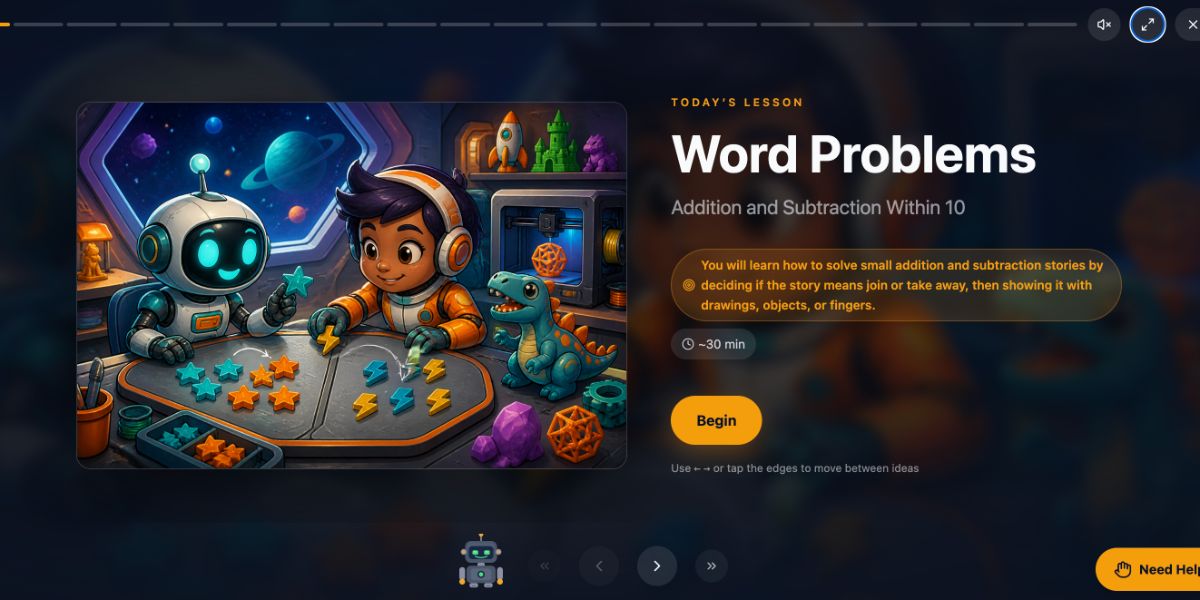
New this week Introducing Cinematic LessonsEvery Primer lesson now opens in a richer, more immersive view built for students, on the web and on iPad: full screen, one idea at a time, with a visual made for that idea. No distractions, better visualizations, and a better shot at the idea sticking. Two things changed: how a lesson looks on the screen, and what appears next to the words. What has not changed: every lesson is still generated for your student alone, themed to their interests and shaped by what they already know. This week covers both. | |||
|
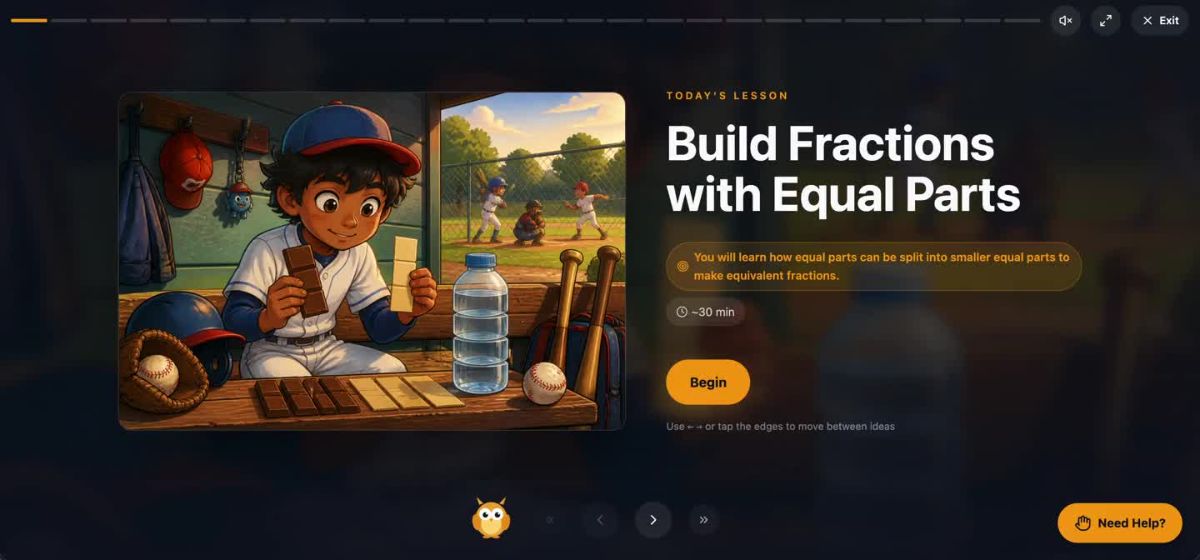
Cinematic view A lesson starts on a title page: the illustration themed to your student, the objective, the time it will take, and a Begin button. From there each idea gets its own screen, with the lesson art blurred softly behind it and progress marked along the top. Your student moves with the arrow keys or by tapping the edges. Text is large and set for reading at a distance, key words still in amber, read aloud still a tap away. Nothing else competes for attention. | |||
 | |||
|
Visuals built for the idea The bigger change is what sits next to the words. Primer now draws a visual for the specific idea on the screen, not a stock picture that is roughly related. A few examples from lessons this week. | |||
|
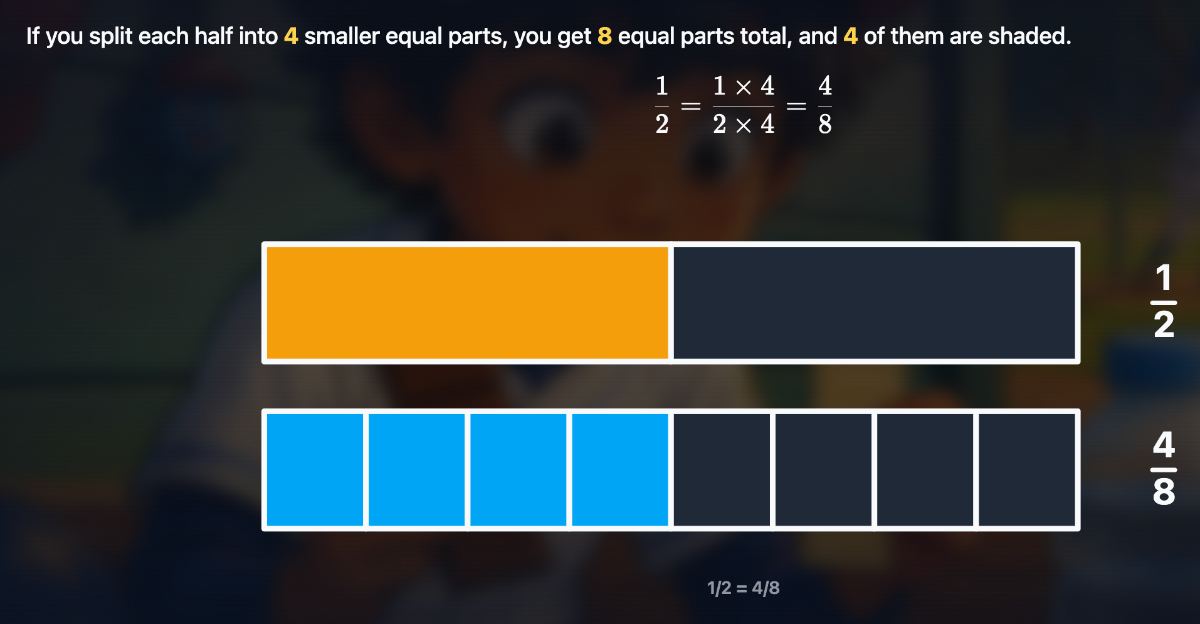
Equivalent fractions. Two bars, one split in halves and one in eighths, shaded so the student can see that 1/2 and 4/8 cover the same amount. | |||
 | |||
|
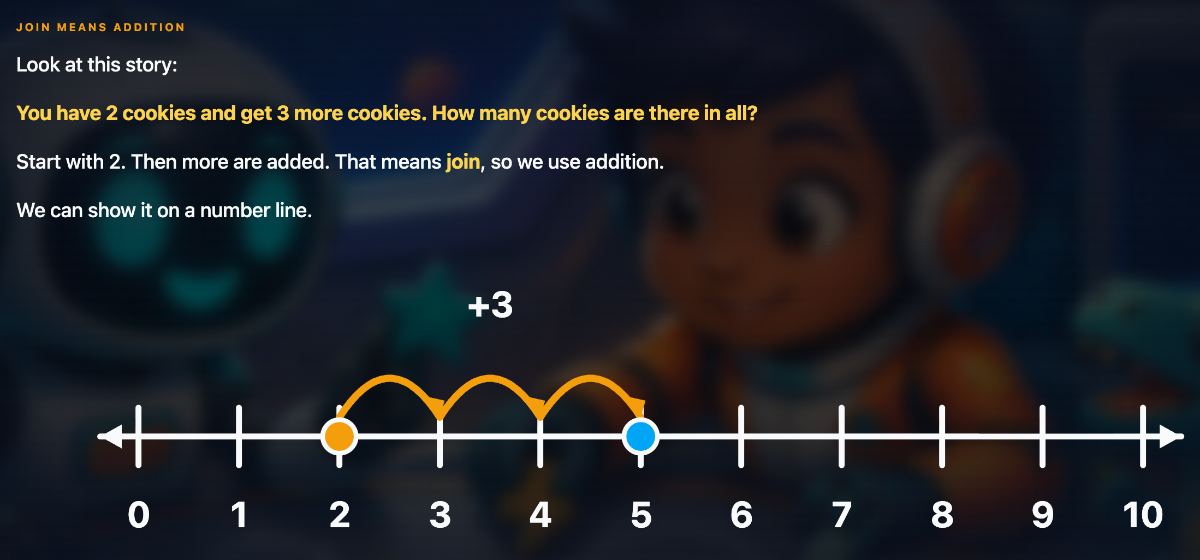
Addition word problems. A number line with jumps drawn on it. Start at 2, hop three times, land on 5. The story and the arithmetic are the same picture. | |||
 | |||
|
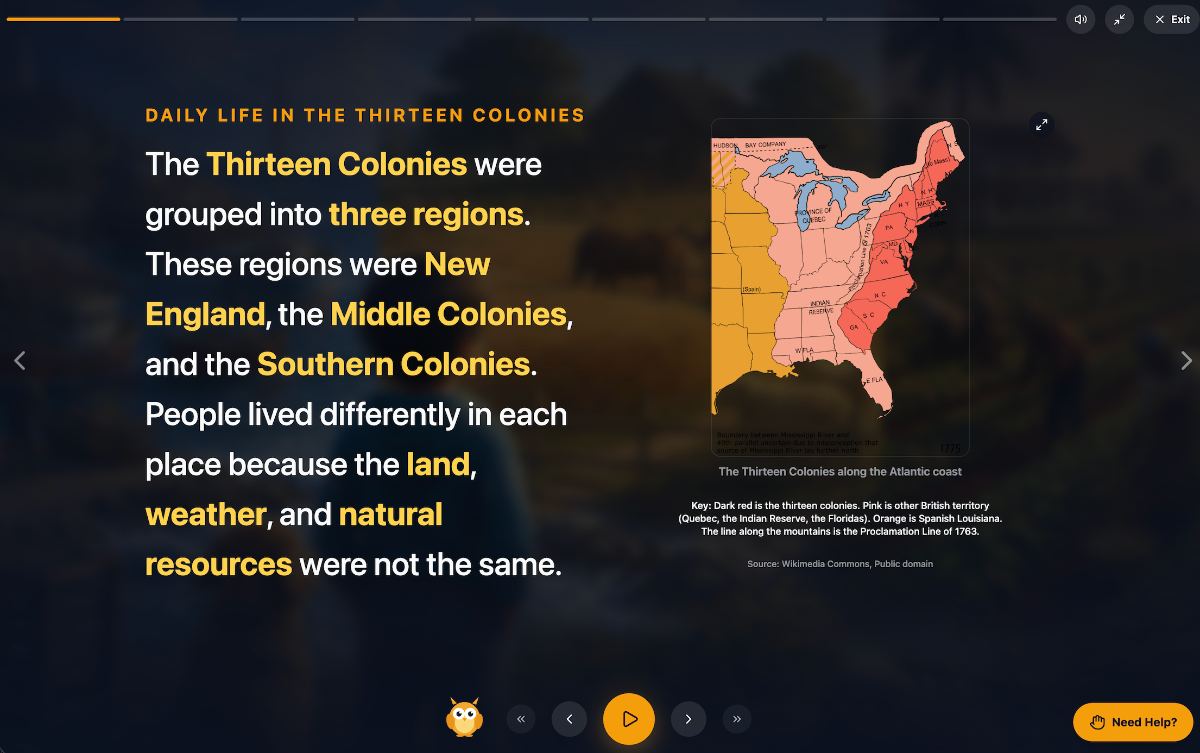
The Thirteen Colonies. A period map, with a key explaining what each color means and a source line underneath. Maps, charts, and diagrams now appear wherever a lesson calls for one. | |||
 | |||
|
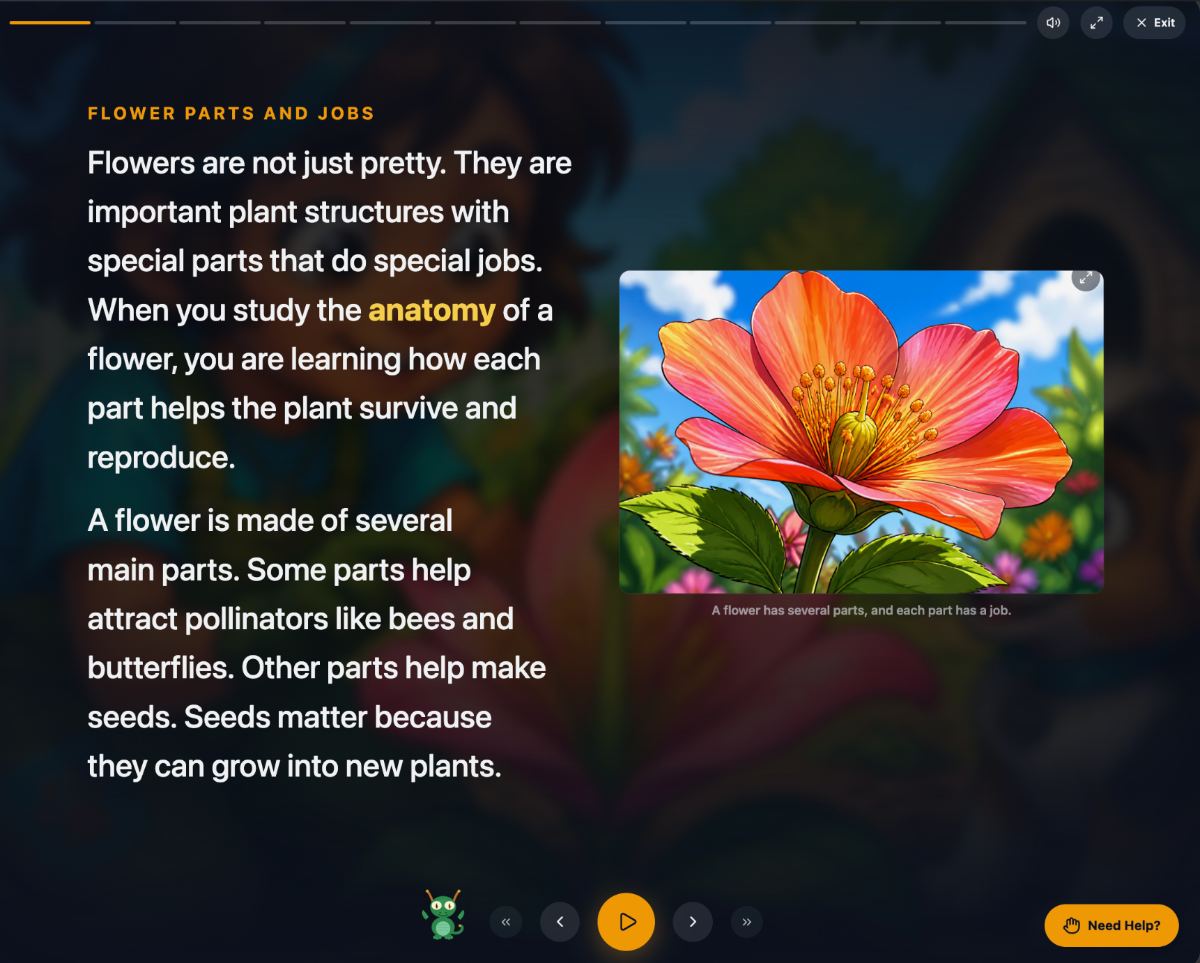
Flower anatomy. Not every idea is a chart. Here the lesson created an illustration of a single flower, drawn in the same style as the rest of the lesson, so the student sees the parts being described. | |||
 | |||
|
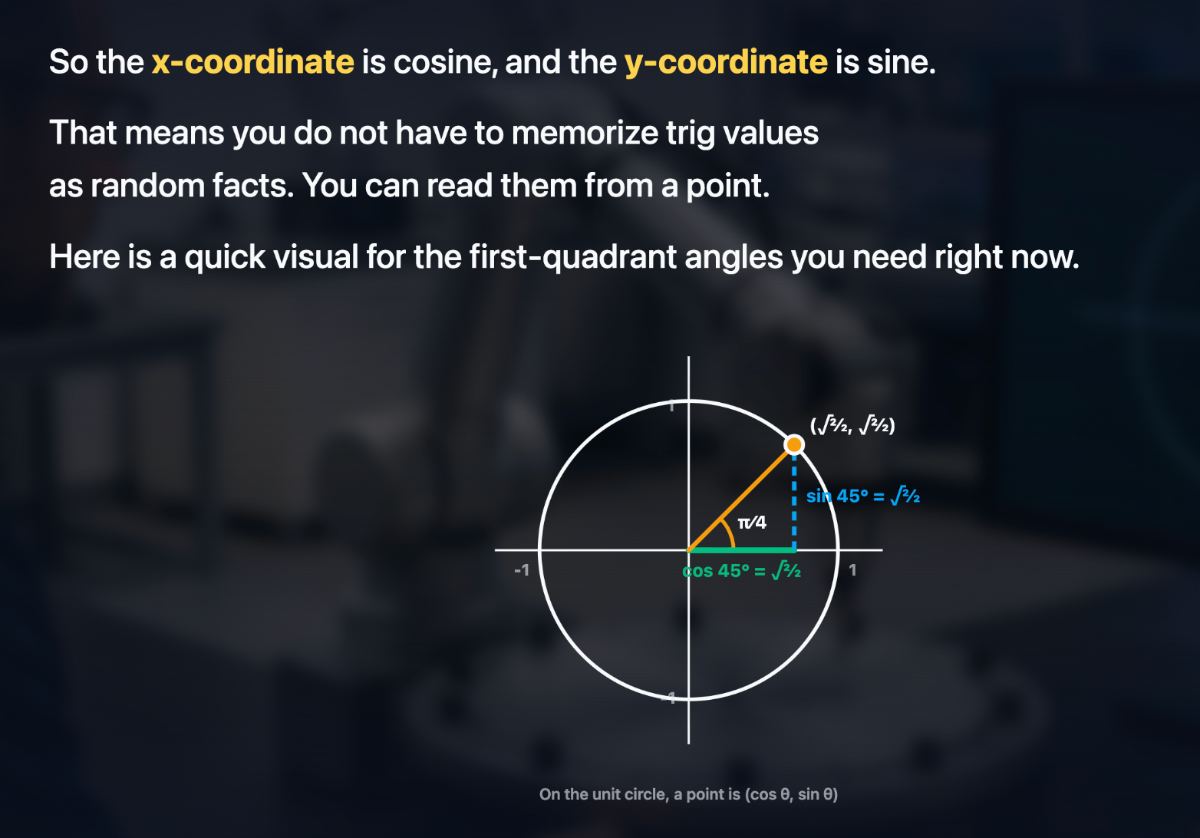
The unit circle. Same approach at the high school end. A point on the circle, with cosine and sine drawn as the legs of a triangle, so trig values are read from a picture rather than memorized as facts. | |||
 | |||
|
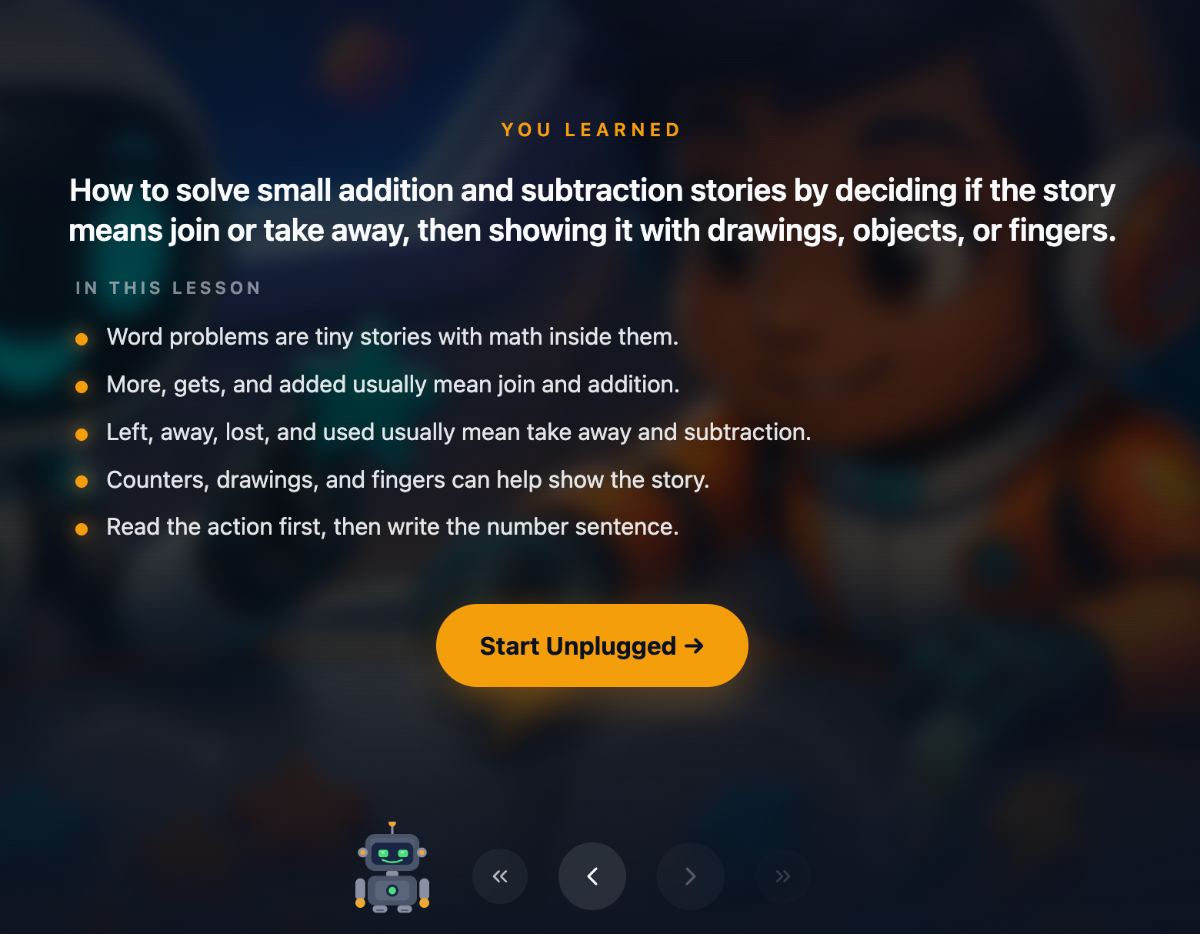
A summary to wrap it up Every lesson now ends with a short summary: what your student learned, restated in a few plain bullets, before they move on to Unplugged. It is a quick review for them and an easy way for you to see what was covered. | |||
 | |||
|
Why this matters A lot of ideas are hard to hold in words alone. Equivalent fractions, jumps on a number line, where the colonies sat on the coast. Drawing the idea while explaining it is what a good teacher does at a whiteboard. Cinematic view gives every lesson that whiteboard.
| |||
| |||
|
There has never been a better time to try Primer Cinematic lessons are live today on the web and the iPad app for every subscriber. Start a free trial, open any lesson, and press Begin.
Try free for 14 days. Cancel any time. | |||
|
EDUCATION · REIMAGINED Primer Institute, a product of Roman Court Technologies | |||
| · — · |