| |||
| |||
|
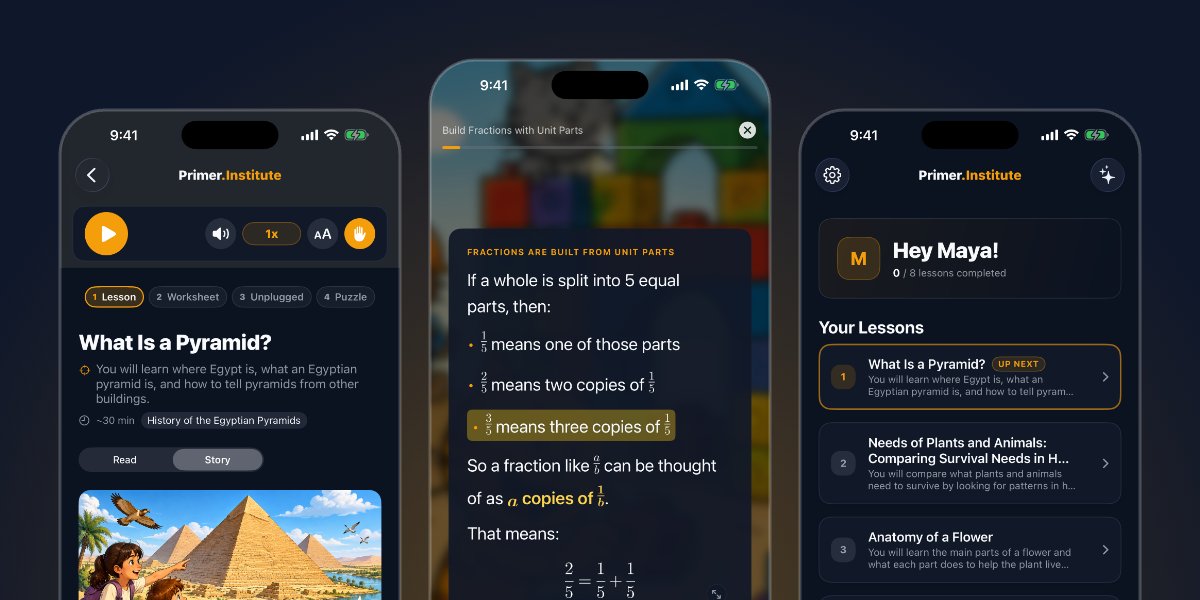
This week Primer Is Now on iPhoneThe Primer iPhone app is in the App Store today. The lessons, practice questions, and cinematic views your student has on the web and iPad now fit in a pocket. Learning does not only happen at the desk. There is the waiting room, the back seat, the twenty minutes before practice starts. Now a lesson can happen there too. Download it, sign in with the same account, and pick up exactly where your student left off. | |||
|
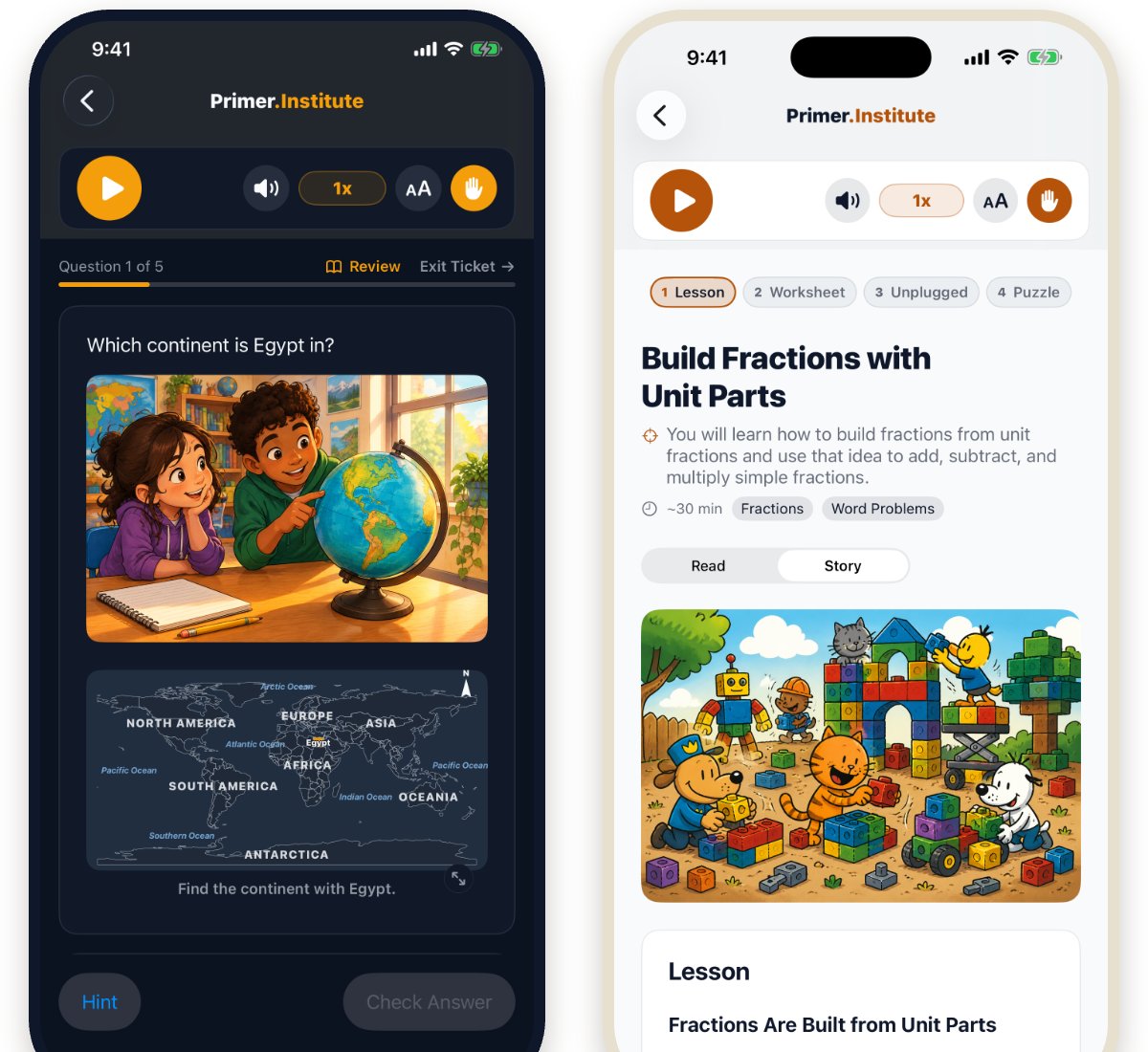
The same lessons, sized for a phone Your student opens the phone to the same lessons they see everywhere else, and picks up any lesson right where they left it. Read-aloud narration, speed control, adjustable text size, and light or dark mode are all there, laid out for one hand. Worksheets and handwriting stay on paper and the iPad, where there is room to write. | |||
| |||
|
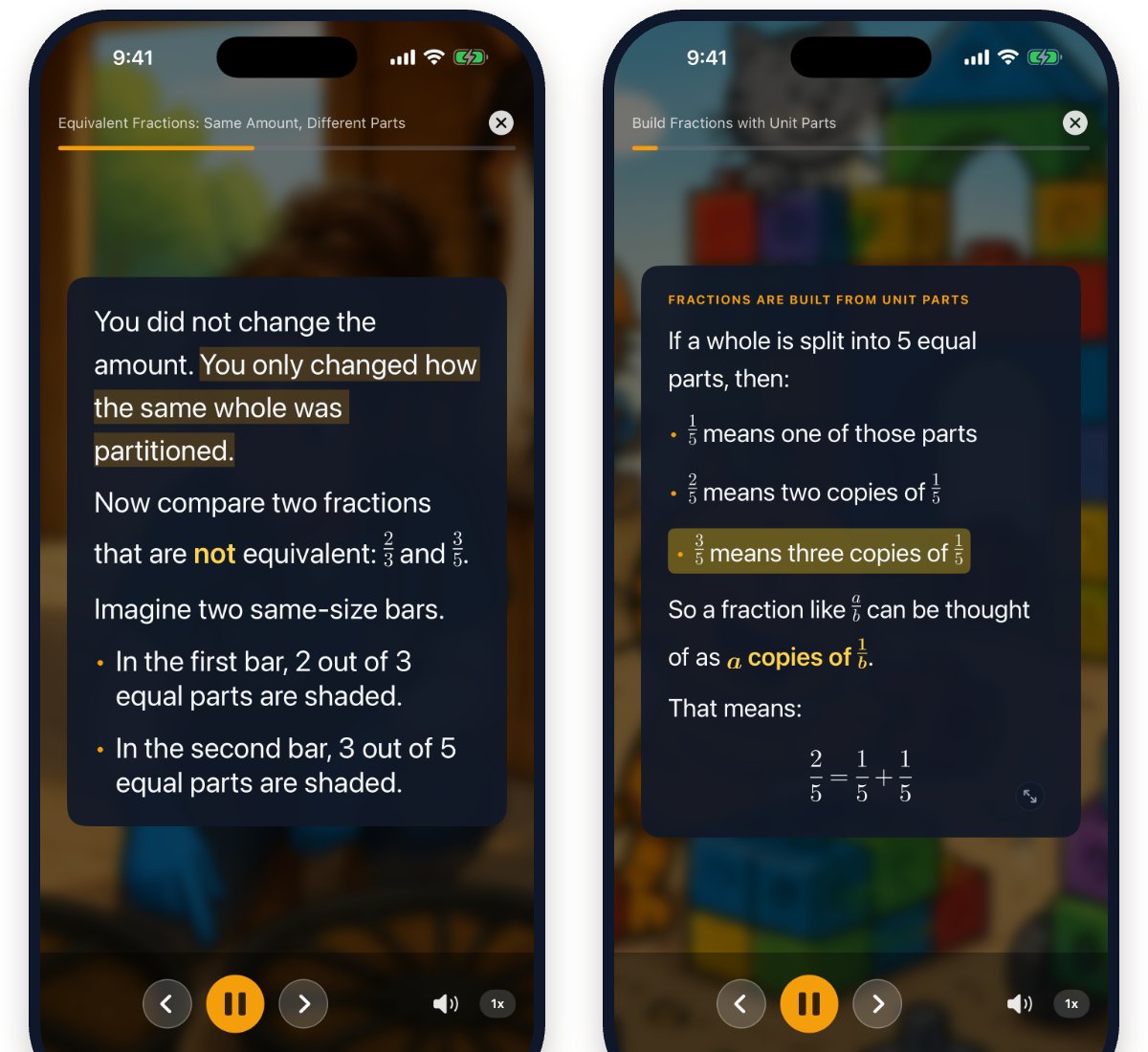
Cinematic lessons on a small screen Cinematic view was built for this. Tap the expand button and the lesson takes over the whole phone: one card of text at a time over the lesson illustration, narration highlighting each sentence as it is read, nothing else on the screen. Swipe left to move to the next card, swipe right to go back and reread. It is the most focused way to learn on a device that is usually the least focused. | |||
| |||
|
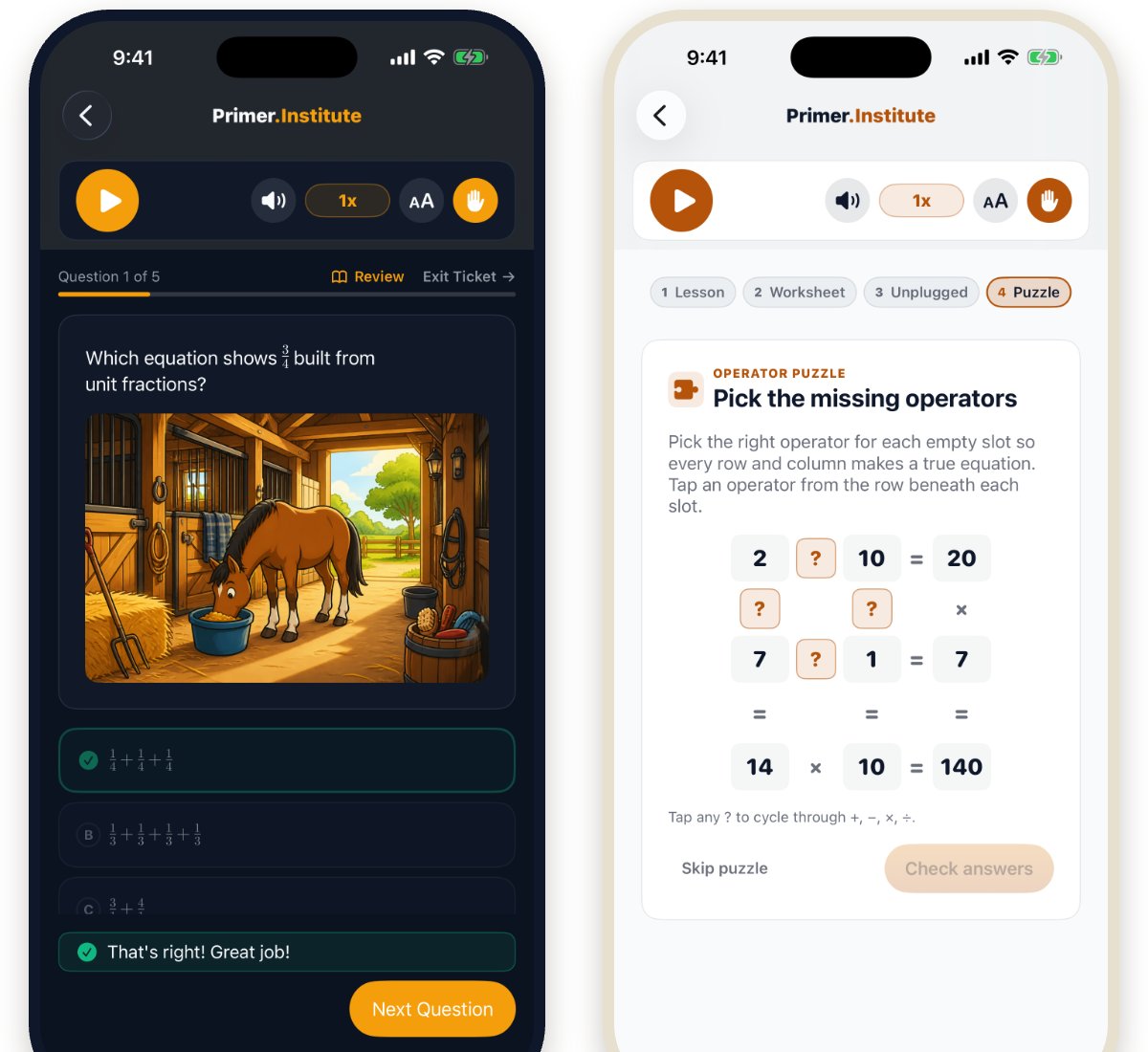
Practice and puzzles, built for tapping Multiple choice, tap-the-map, and operator puzzles all work with a thumb. Answers are checked on the spot with the same encouragement your student gets on the iPad, and every response is remembered so the next lesson knows what to reinforce. | |||
| |||
|
One account. Web, iPad, and now iPhone. Progress syncs across all three. Start a lesson on the iPad at the kitchen table, finish the practice questions in the car, and the summary is waiting in your parent dashboard either way. Student Mode keeps them in their lessons and out of your settings.
| |||
| |||
|
The iPhone app is in the App Store now Search for Primer Institute or tap below. If you already have the iPad app, the iPhone version is the same download. Sign in with your existing account, or start a free trial and take your first lesson anywhere.
Try free for 14 days. Cancel any time. | |||
|
EDUCATION · REIMAGINED Primer Institute, a product of Roman Court Technologies | |||
| · — · |