| ||||||

| ||||||
|
Curriculum You Are the Principal NowA principal does not typically write the lesson plans. They may decide what gets taught, in what order, and when a class is ready to move on. That is the job Primer hands you. Three words do the work in Primer, and they fit together in one direction: you pick skills, Primer builds a path through each one, and everything running at once is your student’s curriculum. Here is what each one is and where you have the pen.
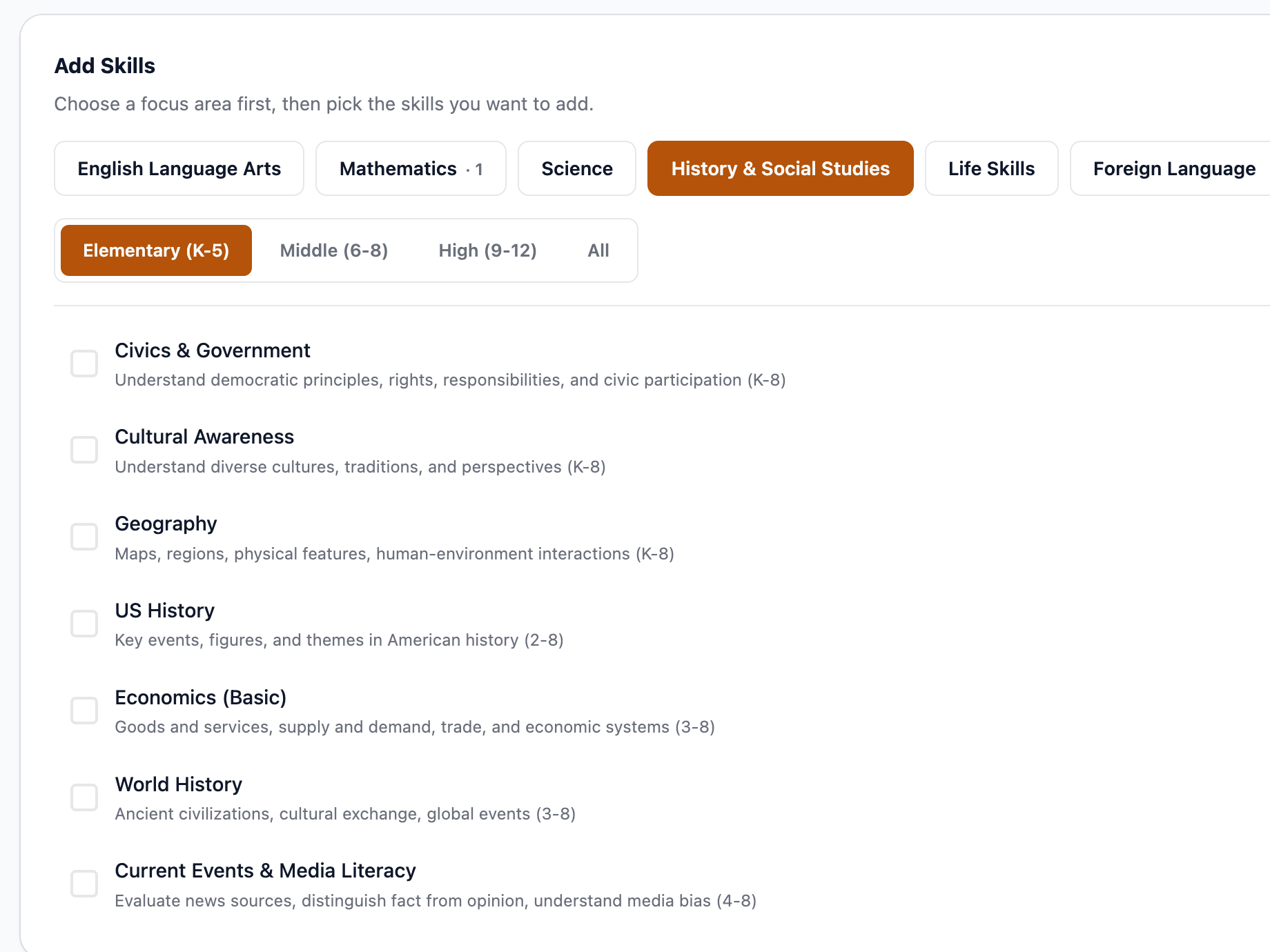
A skill is what a school would call a subject: Handwriting, Fractions, Geography, US History, Reading Fluency. You choose a focus area, then check the skills you want, filtered by Elementary, Middle, or High. Nothing turns on until you add it. | ||||||
| The Curriculum multiple focus areas, K–12 | ||||||
 | ||||||
| What’s running add or drop any time | ||||||
 | ||||||
|
Custom topics sit in the same list as the standards-based ones. To Primer, “Becoming a Horse Veterinarian” is a skill like any other.
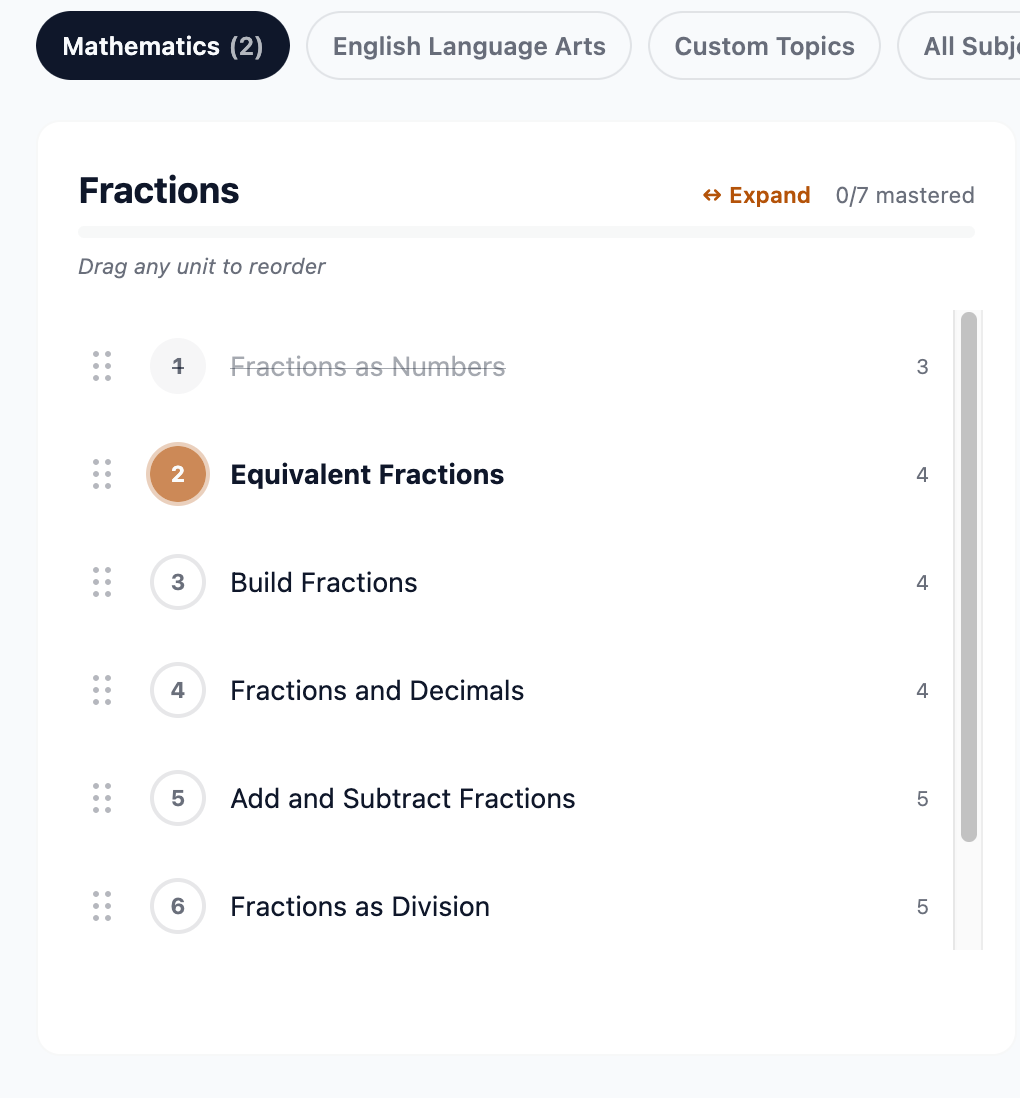
Add Fractions and Primer breaks it into multiple lessons, sequenced so each one rests on the last: Fractions as Numbers, then Equivalent Fractions, then Build Fractions, and on to Fractions as Division. The number on the right is the typical grade level for that lesson. The order is a proposal, not a verdict. Drag any lesson to move it. The amber circle is where your student is working right now. | ||||||
| Path Fractions | ||||||
 | ||||||
|
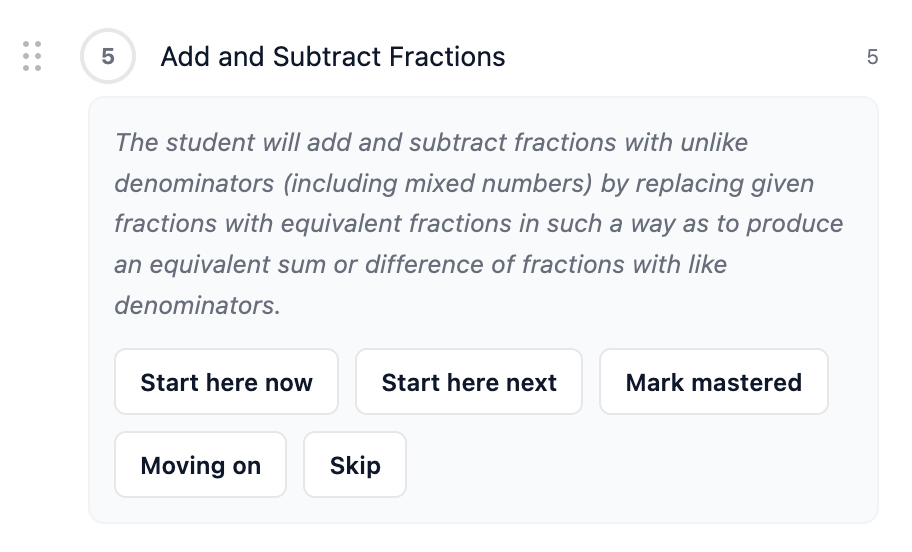
Open an individual lesson and you see the objective it is teaching, in plain language, plus the decisions that are yours alone: Start here now, Start here next, Mark mastered if they already have it, Moving on, or Skip if it does not belong in your lesson plan. | ||||||
| Lesson Add and Subtract Fractions, expanded | ||||||
 | ||||||
|
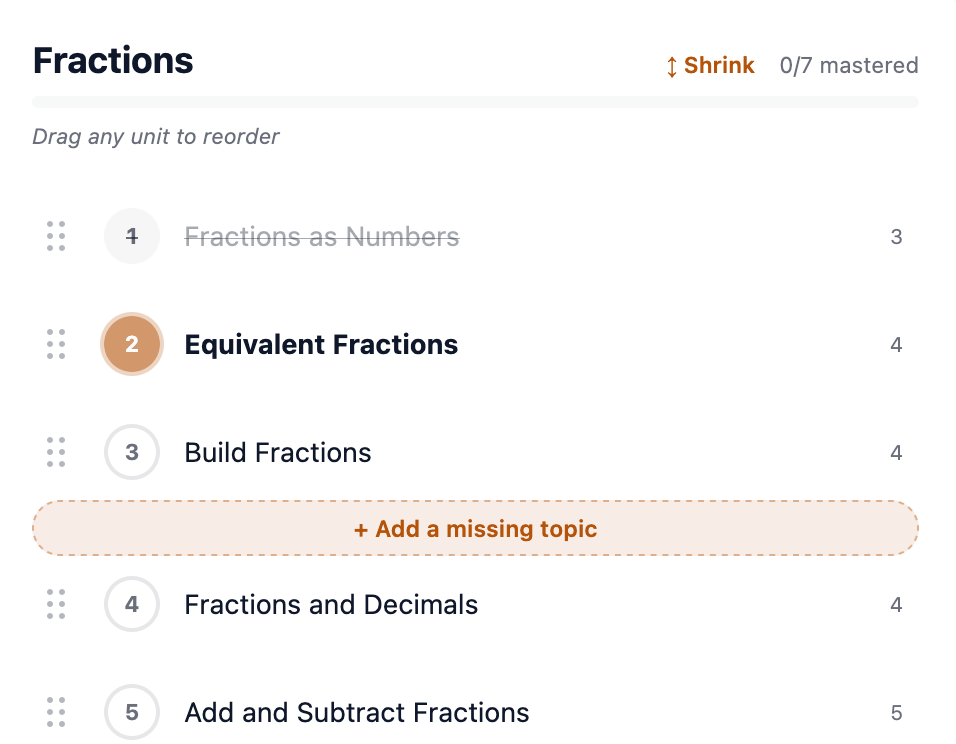
You never have to write an objective. You do get to read every one before your student sees it. If you see a gap, you can also tell Primer to build a unit that is not there. Add a missing topic sits between any two lessons and drops a new mastery topic in ahead of the one below it. | ||||||
 | ||||||
Your curriculum is every skill you have switched on and the paths running underneath them. Two skills in Mathematics, one in English Language Arts, a custom topic on horse veterinary work. Filter the Path view by subject, or look at All Subjects to see the whole lesson plan at once. It is not a package you buy in August and follow until May. Drop a skill in October. Add Geography the week your kid asks about maps. Skip four lessons of a path because you covered them at the museum. The lesson plan changes when you change it, and it changes for one student, not a class of thirty. When the plan looks right, you press Generate Lessons and the teaching starts. Primer writes every lesson against the plan you built, and it writes them for this student: their interests worked into the examples, and the things they have already struggled with folded back in until they stick. | ||||||

| ||||||
|
You set the plan. Primer does the lesson writing, one student at a time. | ||||||
|
Who does what
The lesson planning is done for you. The decisions are not, and they should not be. You are the one who knows this student. | ||||||
| ||||||
|
Build next week’s curriculum tonight Start a trial, add three skills, and see the paths Primer lays out. Pioneer families get 20% off six months with code PIONEER26.
$40 / student / month, try risk-free. Cancel any time. | ||||||
|
Homeschool · Reimagined Primer Institute, a product of Roman Court Technologies | ||||||
| · — · |